Summary
CalendarBridge just added team scheduling and payments to the Scheduler.
You can now create one booking link that finds a time for multiple hosts, assigns meetings based on availability or round robin, and collects payment through Stripe before a meeting is booked.
The Scheduler itself is now considerably more robust than the older version, giving you more control over who takes a meeting and what happens before and after it’s booked.
Schedule with multiple people from one link
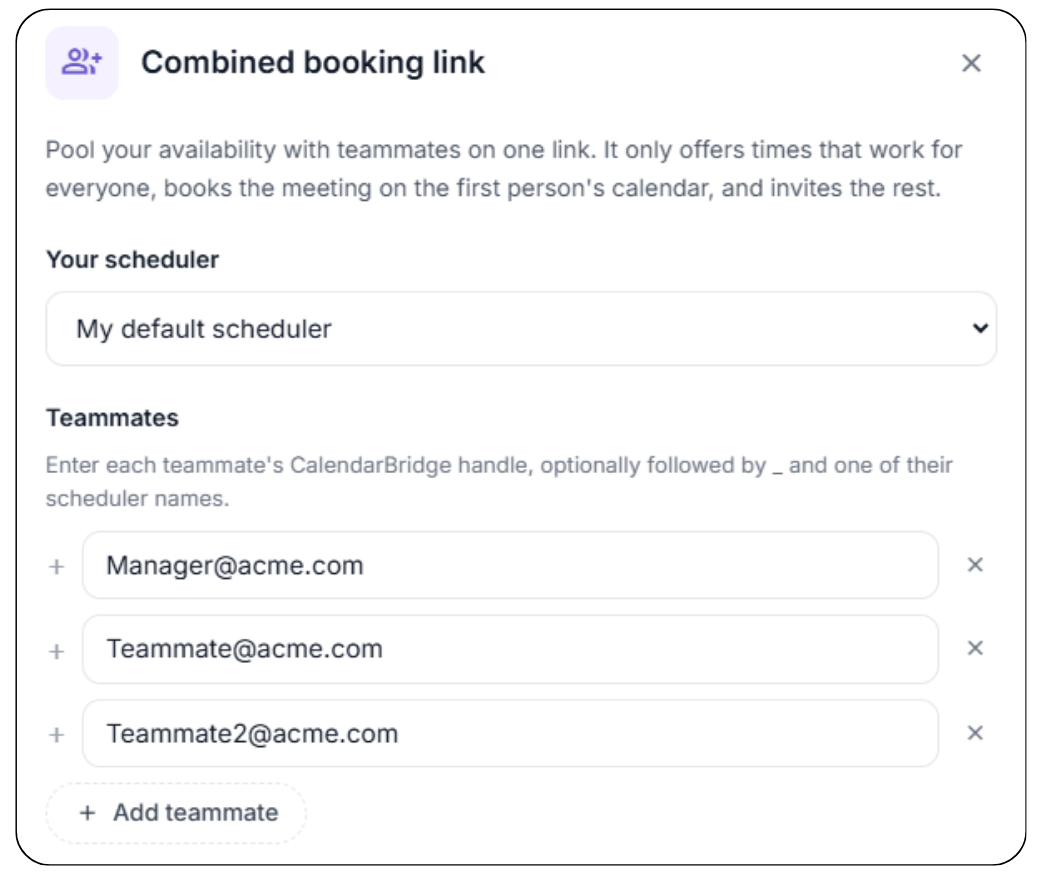
Combined booking links let you pool your availability with teammates on a single scheduling link.
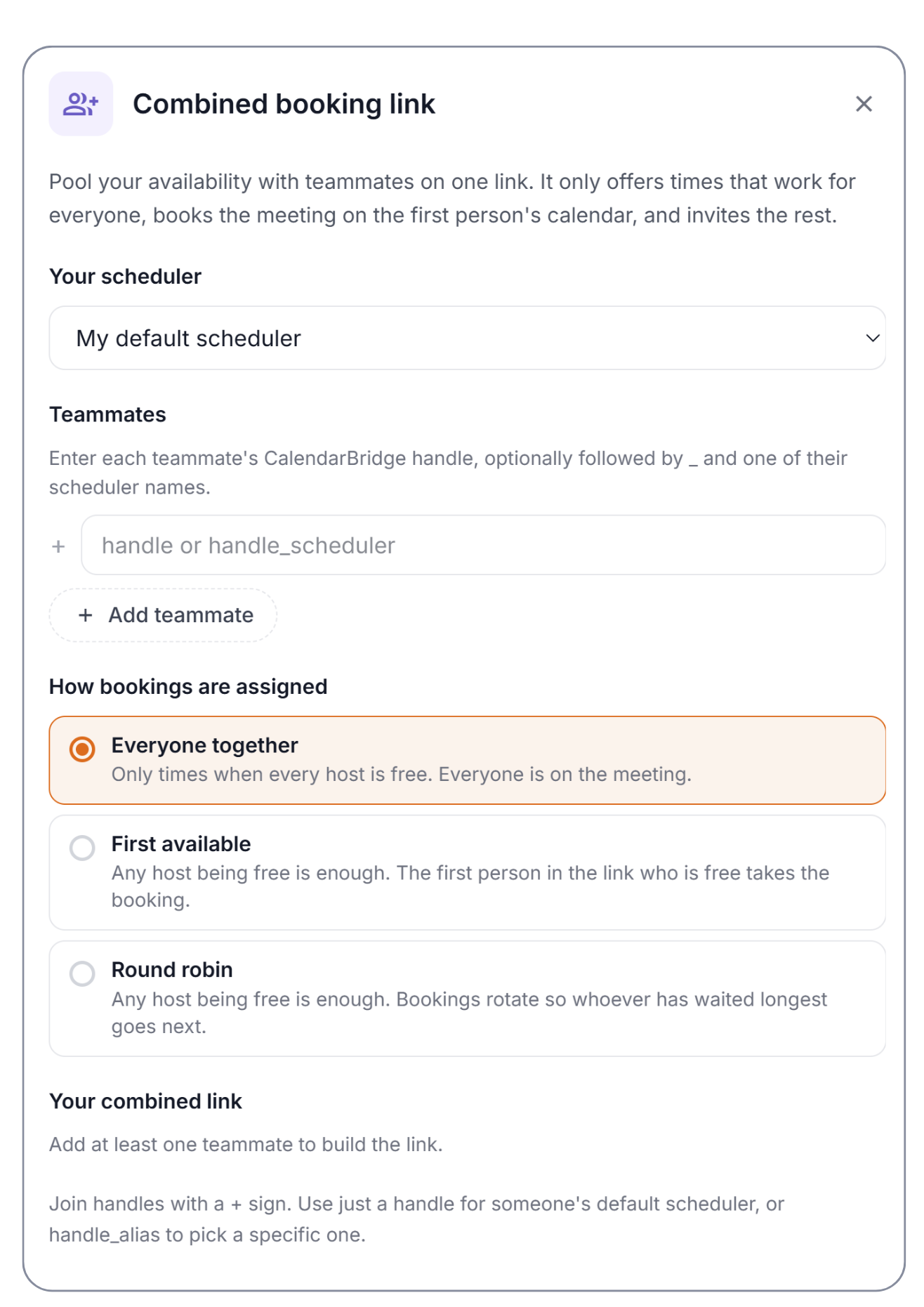
Choose the people you want to include, then decide how bookings should be assigned.
> Learn more about Combined Booking Links in our Help Center
Everyone together
Use Everyone together when every host needs to attend.
CalendarBridge only offers times when everyone included in the link is free. Once the meeting is booked, it is added to the first person’s calendar and the remaining hosts are invited.
This works well for meetings that regularly require more than one person, like a salesperson and solutions engineer joining a prospect call or a recruiter and hiring manager interviewing a candidate.
Instead of comparing calendars manually, one link finds the overlap.
First available
Use First available when any one person can take the meeting, but some hosts should be prioritized over others.
Any host being free is enough for a time to appear. When someone books, the first person in the link’s list who is available takes the meeting.
For example, a client can be scheduled with their account manager whenever that person is free, while another team member automatically serves as backup when they aren’t.
Round robin
Use Round robin when anyone on the team can take the meeting and you want bookings distributed across the group.
Any host being free is enough for the time to appear, but instead of prioritizing people in a fixed order, bookings rotate so whoever has waited longest goes next.
This makes Round robin useful for sales teams, recruiting, client intake, support, and other situations where multiple people can handle the same type of meeting.
CalendarBridge still checks availability first, so a meeting is only assigned to someone who is free at the selected time.
Get paid when the meeting is booked
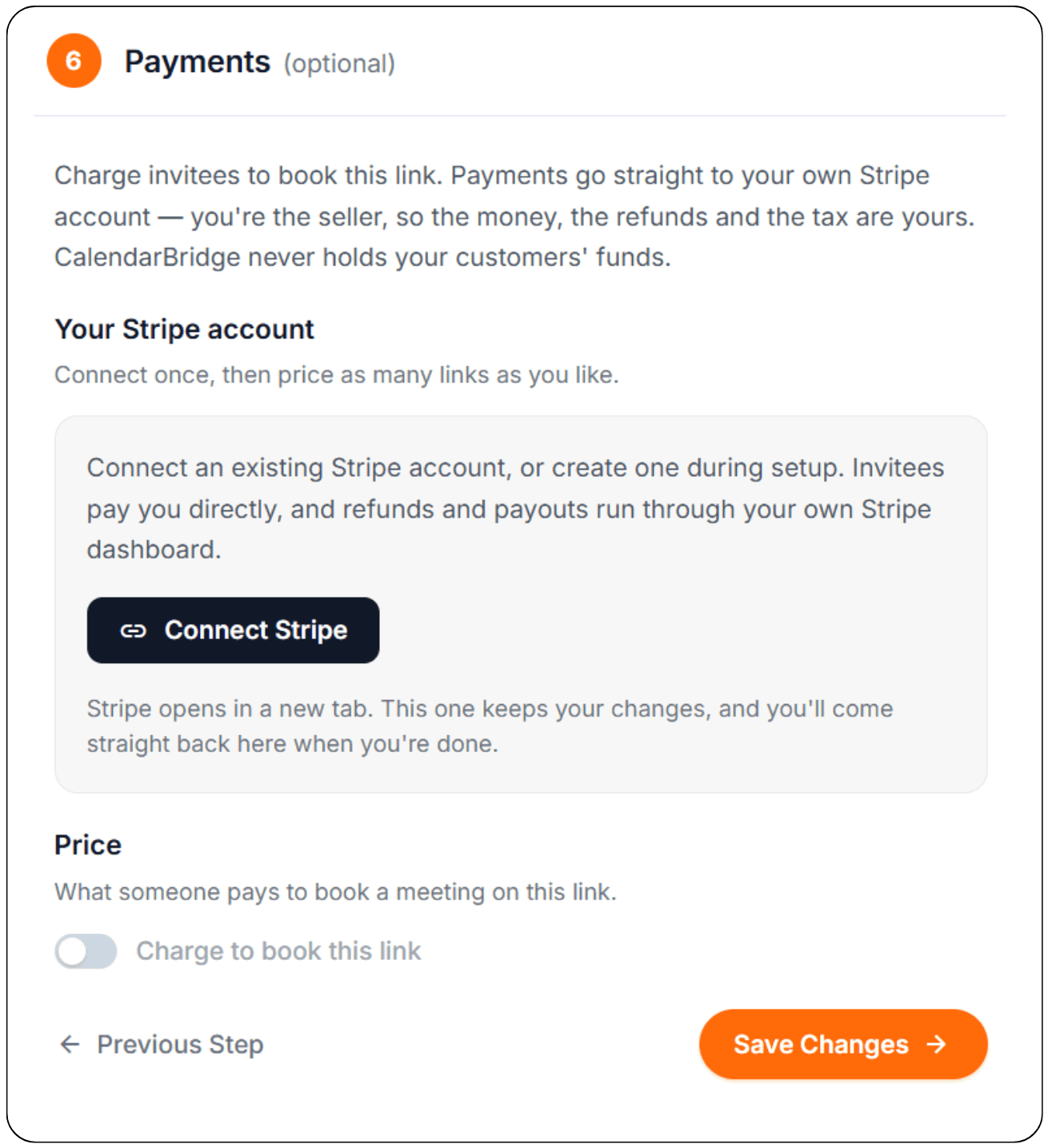
CalendarBridge now also lets you connect your own Stripe account and charge invitees to book meetings through a scheduling link.
Connect Stripe once, then add pricing to as many scheduling links as you need.
Invitees pay you directly through Stripe, and refunds and payouts run through your own Stripe account. CalendarBridge never holds your customers’ funds.
For consultants, advisors, coaches, and anyone else who charges for their time, scheduling and payment can now happen in the same booking flow.
Choose a time. Pay for the meeting. Get it on the calendar.
Automate reminders and follow-ups
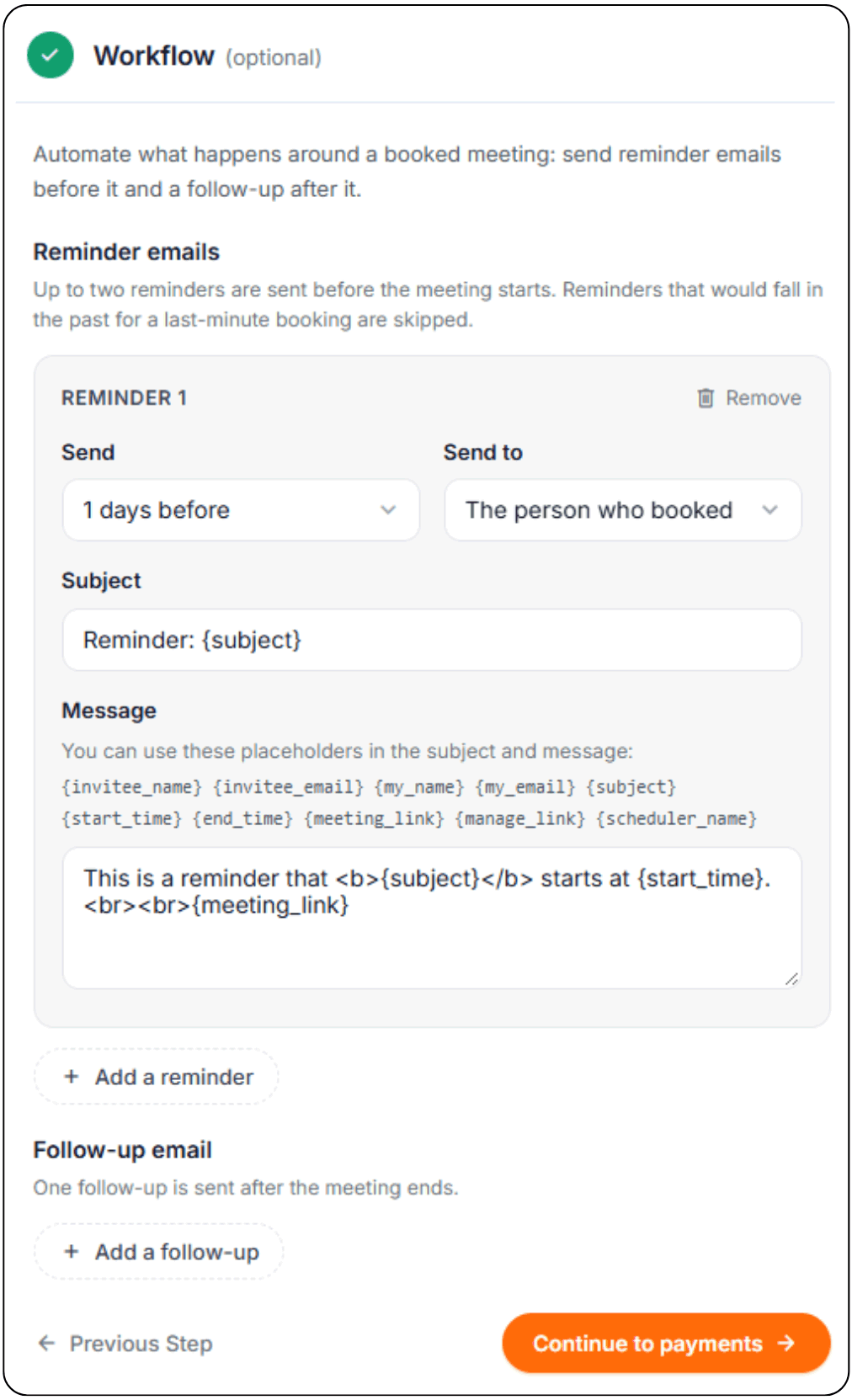
The Scheduler can also automate what happens around a booked meeting.
Workflows let you send up to two reminder emails before a meeting and one follow-up after it ends.
That gives you a simple way to keep invitees informed without manually sending emails before or after every meeting.
A more capable Scheduler
The Scheduler itself is now considerably more robust than the older version.
CalendarBridge already lets you control which calendars determine your availability, set scheduling hours and buffers, offer different meeting lengths, collect information from invitees, and customize the booking experience.
Now you can also:
- Find availability across multiple hosts.
- Require everyone to be available for the same meeting.
- Prioritize one host while automatically using others as backup.
- Rotate meetings across a team.
- Send reminders and follow-ups.
- Collect payment before a meeting is booked.
Whether you’re scheduling for yourself or coordinating a team, CalendarBridge can now handle much more of the process from a single booking link.

Frequently Asked Questions
Yes. Combined booking links let you include multiple hosts on one scheduling link. You can require everyone to attend the meeting or have CalendarBridge assign the booking to an available host.
Everyone together only offers times when every host included in the booking link is available. First available assigns the meeting to the first available host based on the priority order you set. Round robin distributes bookings across available hosts, giving the next meeting to the person who has waited longest.
Yes. CalendarBridge checks host availability before assigning the meeting, so a booking is only assigned to someone who is available at the selected time.
Yes. You can connect your Stripe account to CalendarBridge and add pricing to scheduling links so invitees pay before their meeting is booked.
No. Invitees pay you through your connected Stripe account. Refunds and payouts are also handled through your Stripe account, and CalendarBridge does not hold your customers’ funds.
Yes. After connecting Stripe, you can add pricing to as many scheduling links as you need.
Yes. Scheduler workflows can send up to two reminder emails before a meeting and one follow-up email after the meeting ends.