CalendarBridge App
Unified Calendar Mobile App
No Credit Card Required.
- Best Mobile Calendar App
All Your Calendars. One App
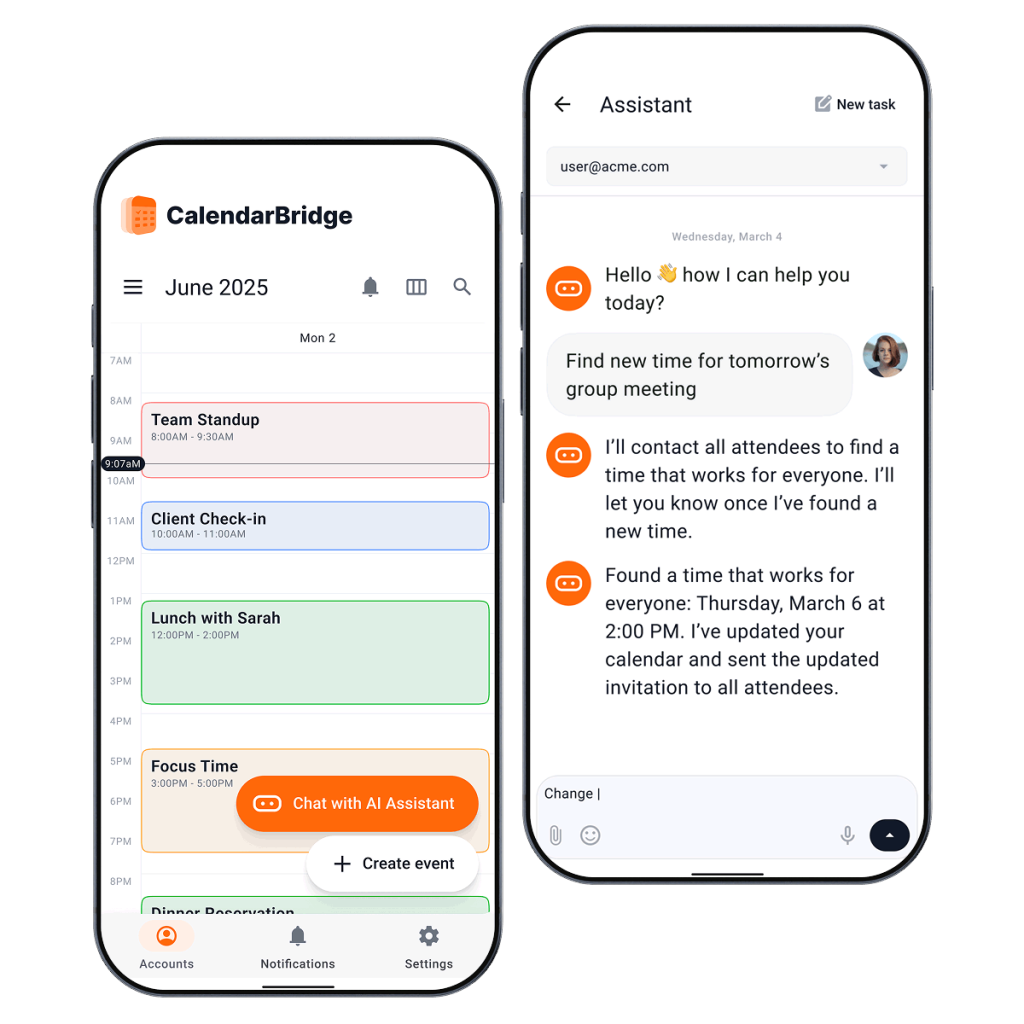
Bring all your calendars together in one place so you can see your complete schedule, avoid conflicts, and manage your day without switching between apps.
See Every Calendar Together
View Google, Outlook, Microsoft 365, Exchange, iCloud, and other connected calendars in one Unified Calendar. Know what’s on your day at a glance.
Hide Duplicate Events
See one clean calendar instead of multiple copies of the same event. Focus on your schedule, not duplicate syncs.
Stay Ahead of Scheduling Conflicts
Your availability stays accurate across every connected calendar, making it easy to spot conflicts before you double-book yourself.
Edit Once. Update Everywhere.
Open any event from your unified calendar and edit it in its original calendar. Changes automatically stay synchronized across your connected calendars.
AI Assistant in the Mobile App
Chat with your AI Assistant directly from the mobile app to add events, make changes to your calendar, find availability, and manage your schedule from anywhere.
Available with Premium and Pro plans.
Get Started with the Unified Calendar App from CalendarBridge
Note: If you already have a CalendarBridge account, just download the app with the links below and sign in.
-
Step 2 -Connect Your calendars Add or update events across all your connected calendars in one unified view. CalendarBridge makes it easy to keep your schedule up to date without jumping between tools.
-
Step 3 - Configure Sync connections and visibility See a clean copy of your calendar across all the calendars that you have synced your availability to.
-
Step 4 - Use the CalendarBridge Web App in Any Browser You can access your Unified Calendars directly through the CalendarBridge web app in any browser. Manage syncs, adjust visibility, and view your availability from any device with a browser, even if you choose not to use the mobile app.
-
Or... Download the App and Sign In to Your Account Switch between month, week, or day views to see your schedule your way. CalendarBridge gives you full control over how you organize and manage your time.



- Trust is Everything
We are Trusted by Major Companies Across All Industries
For enterprise-grade security and account management tools, companies turn to CalendarBridge.
Privacy and Security Come First
With CalendarBridge, you stay in full control of your calendar and personal data.
We never store, analyze, or sell your calendar data to anyone.
We only request bare-minimum calendar permissions, never your email or files.
SOC 2® verified and Microsoft 365 GCC High compatible for ultimate compliance.

GDPR Compliant
Including DPA

SOC 2® (Type 1 & 2)
Verified, 2026

HIPAA Compliant
Since 2022

Trust Center
Available on Request
- Get help
FAQs about the CalendarBridge Calendar App
Quick answers to the most common questions. Need more help? Check out our help site.
The CalendarBridge mobile app gives you one place to view and manage your connected calendars from your phone, tablet, desktop, or browser. It brings your Google, Outlook, Microsoft 365, Exchange, iCloud, and other connected calendars into one unified calendar view.
Yes. The CalendarBridge unified calendar app is included with all plans. Once you have a CalendarBridge account, you can sign in through the web app or download the mobile app and use the same account.
You can view connected calendars from Google, Outlook, Microsoft 365, Exchange, iCloud, ICS, and other supported calendar sources. This lets you see your full schedule in one place instead of switching between separate calendar apps.
Yes. You can use the CalendarBridge web app in any browser. The web app lets you view unified calendars, manage syncs, adjust visibility, and review your availability from any device with browser access.
Yes. You can open events from your unified calendar and edit them in their original calendar. When changes are made, CalendarBridge keeps your connected calendars synchronized based on your sync settings.
Yes. CalendarBridge lets you switch between month, week, and day views so you can manage your schedule in the format that works best for you.
Yes. You need a CalendarBridge account to use the app. If you already have an account, you can download the app and sign in. If you are new to CalendarBridge, you can create an account first and then connect your calendars.
The CalendarBridge mobile app is useful for anyone who manages more than one calendar, including consultants, executives, advisors, sales professionals, recruiters, and anyone who works across Google, Outlook, iCloud, or multiple work accounts.