Real-Time Calendar Syncing from CalendarBridge
Sync Google, Outlook, and iCloud Calendars
No Credit Card Required.






- Cross-Platform Sync
Real-Time Calendar Syncing
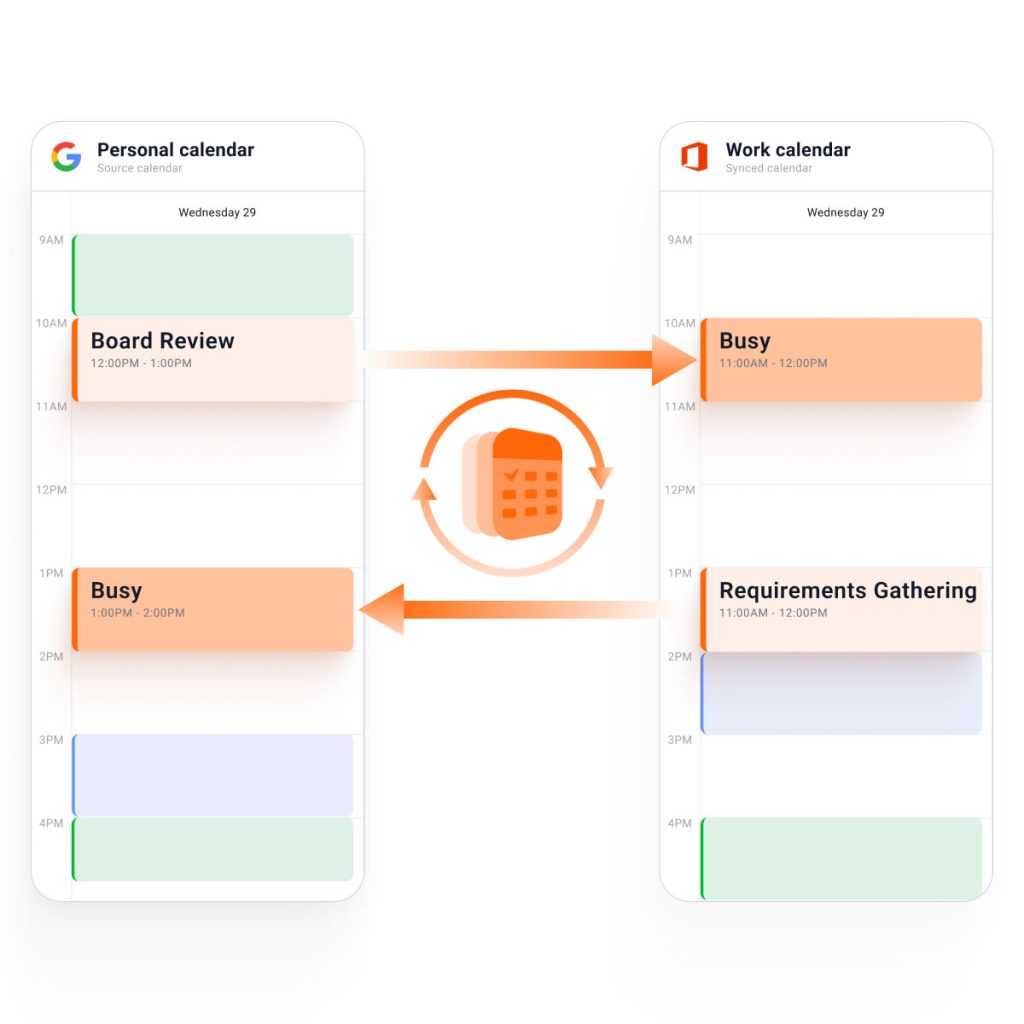
Sync Google, Microsoft 365, Outlook, Exchange, iCloud, and ICS calendars. Changes on one calendar reflect across your connected accounts based on your sync rules, keeping individuals, teams, and organizations synchronized without changing how you already work.
- Privacy Controls
Protect Calendar Privacy
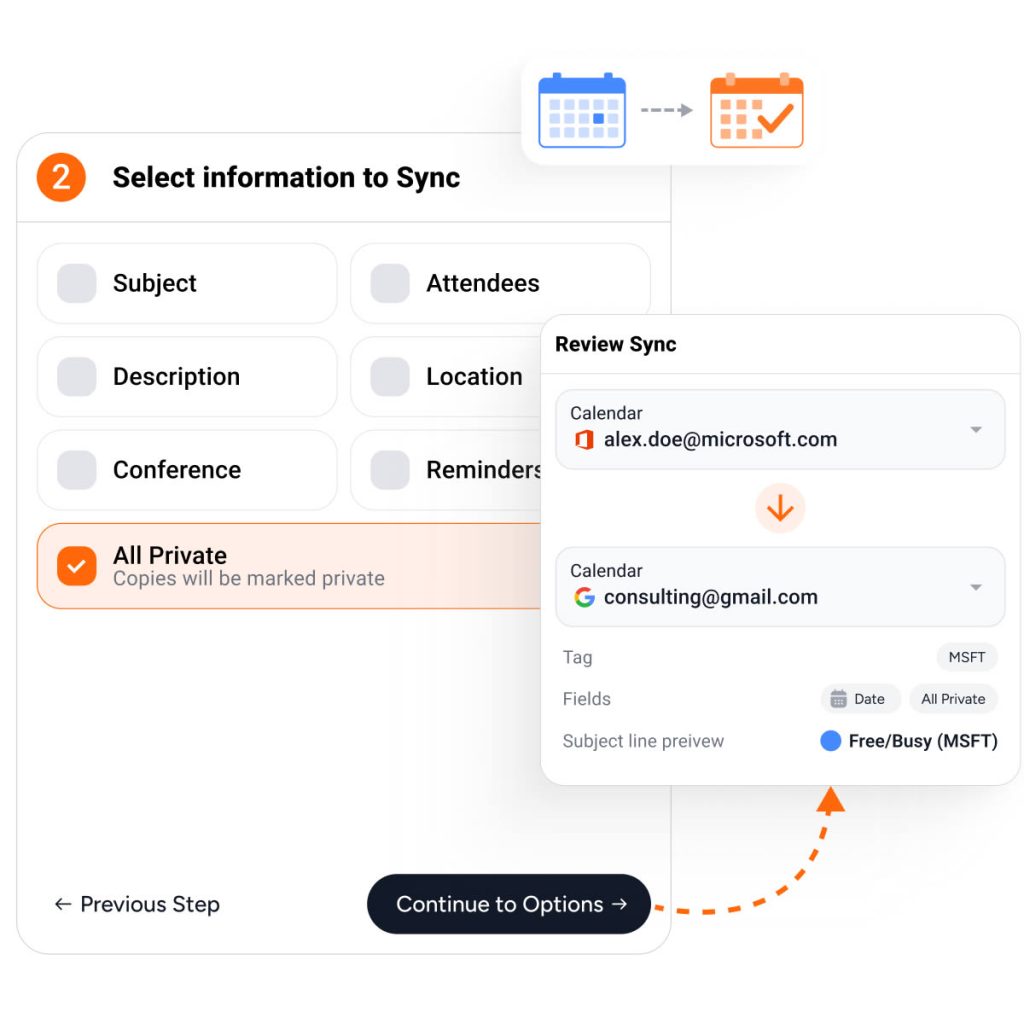
Choose how synced events appear on each connected calendar. Display events as “busy”, with limited details, or with full information based on your needs per connection. Advanced filters let you control exactly which events, colors, and time ranges sync.
- Multi-Directional Sync
One-Way & Two-Way Sync
You can set up individual one-way syncs between two calendars, or use multi directional sync to connect multiple calendars all at once. Simply select the calendars you want to keep in sync, and every required connection is created for you in one step.
- Enterprise Security
Secure by Design
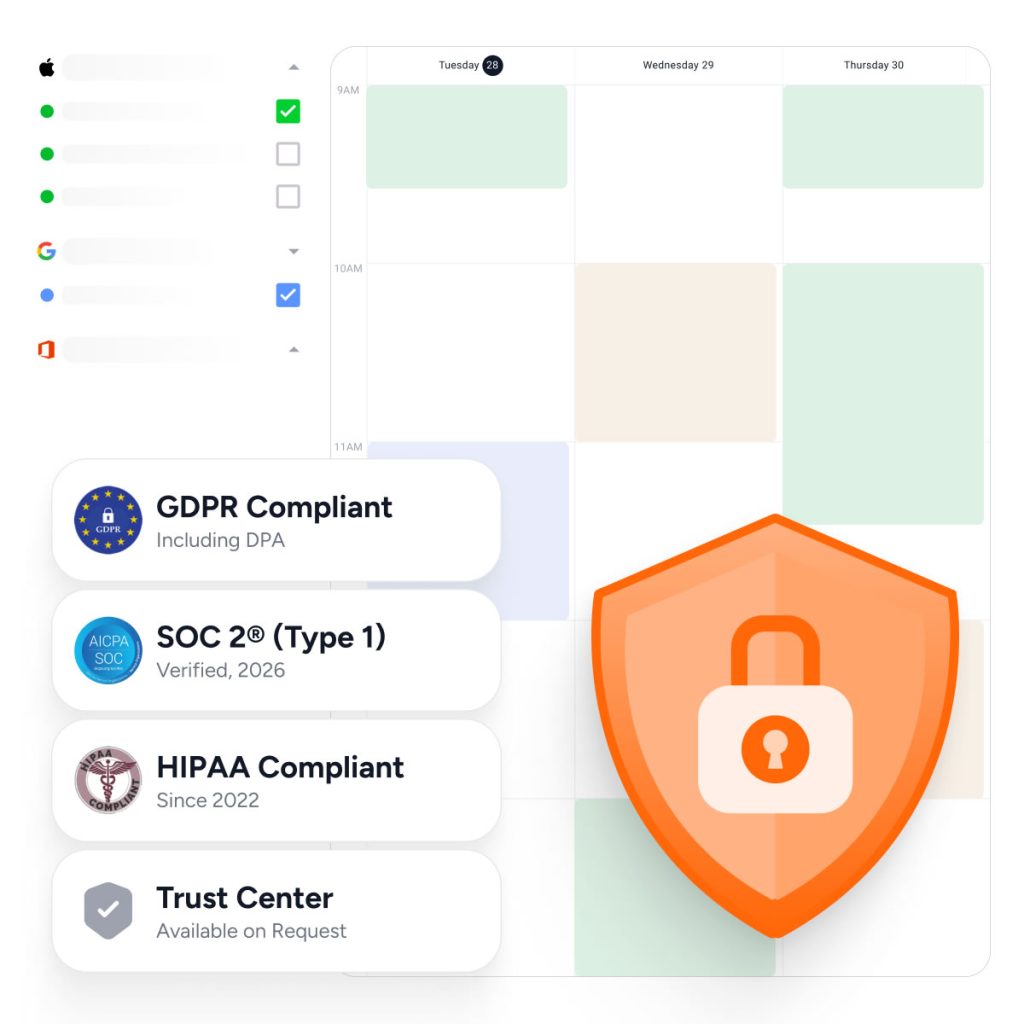
Connect calendars using secure OAuth authentication, patented privacy controls, and enterprise-ready security. Individuals and organizations can synchronize availability while maintaining complete control over what information is shared between calendars.
- Trust is Everything
We are Trusted by Major Companies Across All Industries
For enterprise-grade security and account management tools, companies turn to CalendarBridge.

Stop the Multi-Calendar Chaos
Spend less time managing your calendars and more time getting things done.
Privacy and Security Come First
With CalendarBridge, you stay in full control of your calendar and personal data.
We never store, analyze, or sell your calendar data to anyone.
We only request bare-minimum calendar permissions, never your email or files.
SOC 2® verified and Microsoft 365 GCC High compatible for ultimate compliance.

GDPR Compliant
Including DPA

SOC 2® (Type 1 & 2)
Verified, 2026

HIPAA Compliant
Since 2022

Trust Center
Available on Request
Individuals & Small Businesses

Core Use Case: Stop Double Bookings
When your work, personal, and client commitments live on separate calendars, no single calendar reflects your true availability. That’s how meetings get booked over appointments, personal plans, or work that’s already scheduled somewhere else.
CalendarBridge keeps your availability accurate across every calendar you use, so coworkers, clients, and scheduling tools stop offering time you’re not actually available. Whether you’re balancing work and personal calendars, managing multiple clients, or working across multiple organizations, you can schedule confidently without manually updating every calendar.
Individuals & Freelancers
Whether you manage work, personal, family, board, or side-business calendars, CalendarBridge keeps your availability accurate without exposing the details behind your events.
Consultants & Advisors
Consultants, advisors, freelancers, and fractional executives often work across multiple clients, organizations, and calendar systems. Keep every commitment synchronized so you can confidently schedule meetings without creating conflicts or exposing private details.
Organizations
Post-Merger Teams
Coordinate meetings and integration work across acquired companies without waiting for calendar migrations or tenant consolidation.
Leadership & Operations
Help executives, project teams, and operations leaders coordinate across business units, subsidiaries, clients, and partner organizations with accurate shared availability.
IT & Administration
Maintain accurate scheduling during tenant migrations, acquisitions, reorganizations, and system integrations while giving administrators control over what information is shared.
Core Use Case: Eliminate Scheduling Friction
Whether you’re integrating acquired companies, managing multiple Microsoft 365 or Google Workspace tenants, or coordinating across partner organizations, disconnected calendars slow down collaboration and create unnecessary scheduling delays.
CalendarBridge connects availability across separate calendar environments without requiring an immediate migration. Teams can begin working together sooner, leaders spend less time coordinating meetings, and IT can transition systems on a timeline that makes sense for the business.
Accelerate M&A Integration
Schedule Across Companies
Sync in Real Time
Protect Calendar Privacy
We Love Our Users and They Love Us
See why users love Real-Time Calendar Sync from CalendarBridge.

5.0

I love how easy the software was to set up and that both of my calendars were instantly in sync. No more double-booking events across calendars!

Linda M
Private Insurance Broker
5.0
After being frustrated with other sync services, including Zapier, I found CalendarBridge.
Jonathan, T
Project Manager

5.0
I easily configured CalendarBridge so client-calendar details appear on my company calendar, while company appointments show only as “busy” on the client calendar to protect confidentiality. I am extremely happy with it.
Jason, F
Staffing Consultant
- Get help
Real-time Calendar Syncing FAQs
Quick answers to the most common questions. Need more help? Check out our help site.
Real-time calendar sync keeps your connected calendars updated as quickly as possible when your schedule changes. When an event is added, changed, or removed on one calendar, CalendarBridge updates the synced calendar so your availability stays accurate across accounts.
Real-time calendar sync matters because scheduling conflicts can happen quickly. If one calendar does not know about a meeting on another calendar, someone may book time that is no longer available. Faster syncing helps reduce that risk.
CalendarBridge is designed to sync calendar changes as close to real time as possible. Sync speed can depend on the connected calendar platform, account permissions, and how the calendars are configured, but CalendarBridge is built to update availability much faster than basic shared calendar subscriptions.
An ICS calendar feed usually works as a read-only subscription that refreshes on the receiving calendar’s schedule. That can create delays. Real-time calendar sync is designed to actively keep availability aligned between calendars instead of waiting for a subscribed calendar feed to refresh.
Yes. CalendarBridge can help sync availability between Google Calendar and Microsoft calendars, including paid Microsoft 365 accounts and free Microsoft accounts using addresses like Outlook.com, Live.com, MSN.com, or Hotmail.com. This is useful when your schedule is split between Google and Microsoft accounts and you need each calendar to reflect when you are busy, without manually copying events or checking multiple calendars before accepting a meeting.
Yes. CalendarBridge is built for people who manage multiple calendars across different accounts and platforms. You can connect work, personal, client, and organization calendars so availability stays aligned across the calendars you rely on.
CalendarBridge is designed to protect private calendar details while keeping availability accurate. You can sync busy blocks without exposing sensitive event names, attendees, notes, or meeting details on other calendars.
Real-time calendar sync is useful for consultants, fractional executives, executives, sales teams, recruiters, executive assistants, government contractors, and anyone else who manages calendars across separate accounts or organizations.
Calendar sharing can help you see another calendar, but it does not always make your availability accurate everywhere people schedule with you. Shared calendars and subscribed feeds can lag behind, and they may not block time on the calendar your coworkers, clients, or scheduling tools use.
Learn More with These Helpful Articles
Get more from CalendarBridge cross-tenant, real-time Calendar Sync