Scheduling Pages & Booking Links from CalendarBridge
One Link, Zero Calendar Conflicts.
No Credit Card Required.
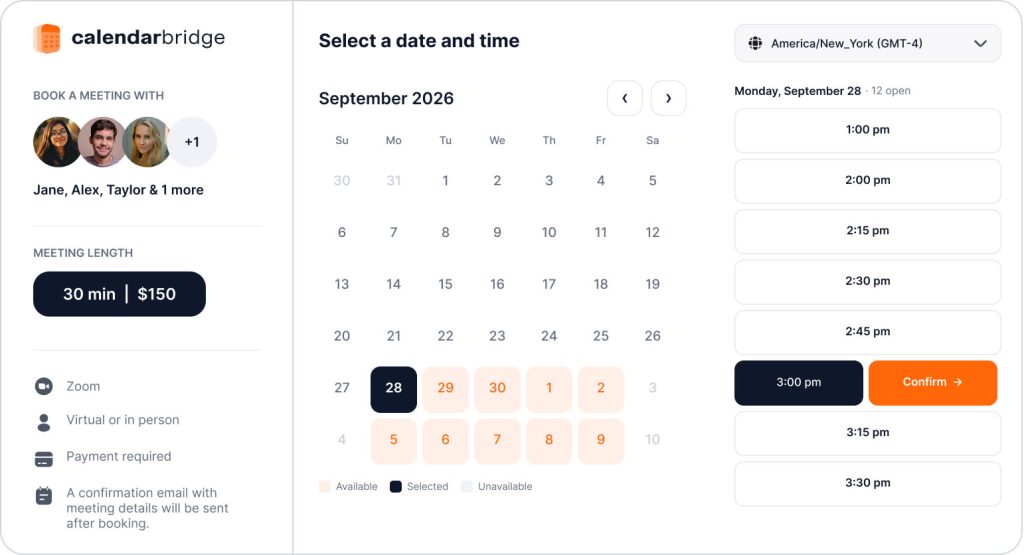






- Universal Compatibility
Compatible with Google, Outlook, iCloud, and More
Perfect for a simple setup, yet powerful enough for a complex one. Power your links with a single account, or choose to mix and match multiple work, personal, and client calendars. CalendarBridge seamlessly adapts to your setup, giving you the power to check availability across 10+ connected calendars at the same time.
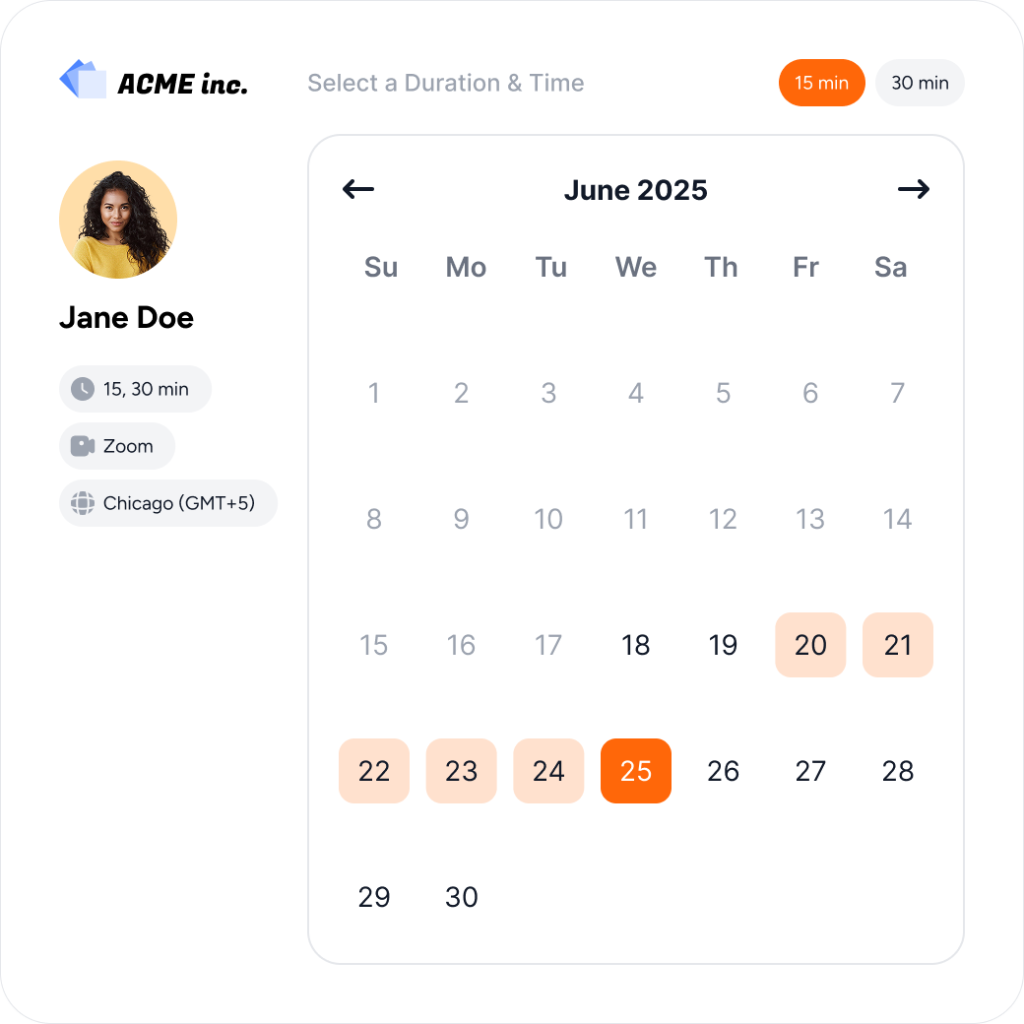
- Personalization
Fully Customizable Booking Pages
Easily customize how you present yourself to clients. Change your link URLs, upload your logo or headshot, and add custom welcome text or questions. It takes just a few clicks to build a clean booking page that matches your business perfectly.
- Team Scheduling
Schedule Multiple Hosts from One Link
Create a combined booking link to find time when everyone is free, assign meetings to the first available host in your priority order, or rotate bookings with round robin. Each host’s availability is checked before a time is offered.

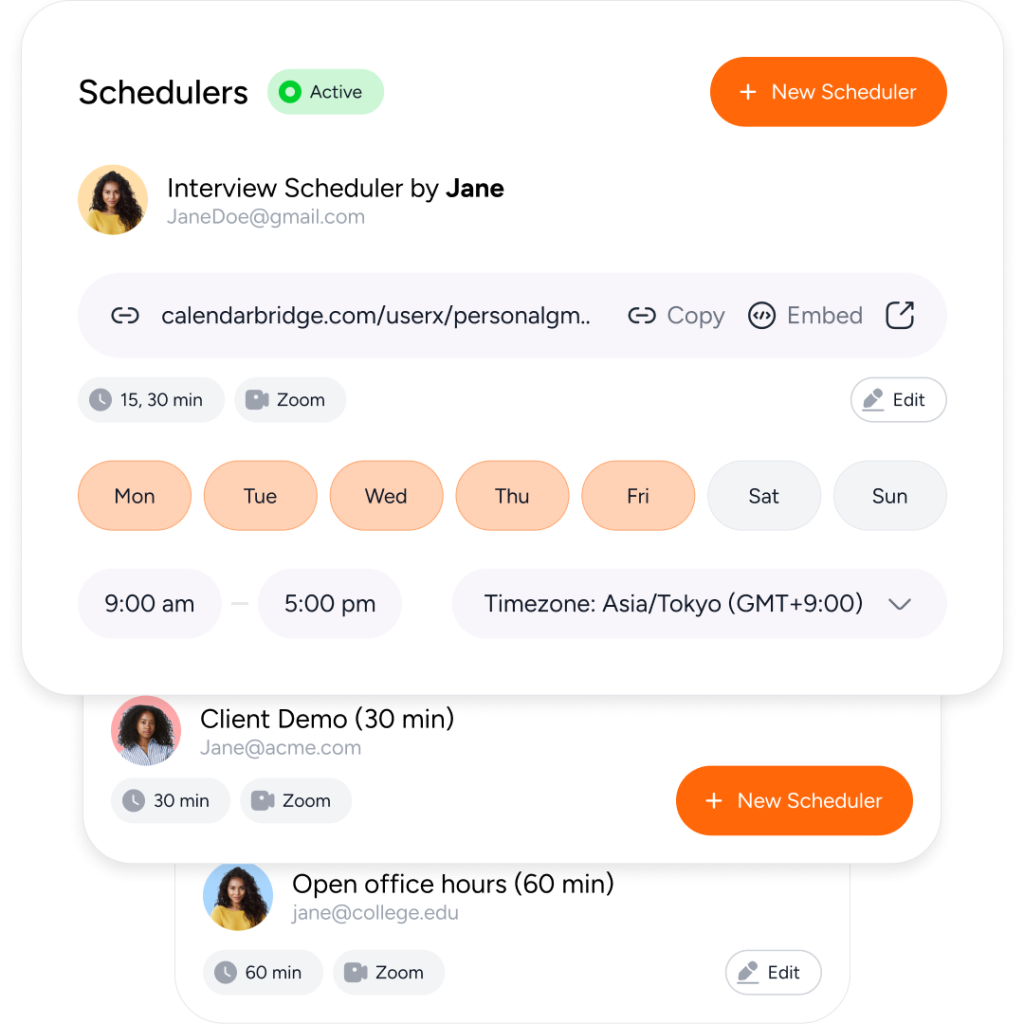
- Multiple Links
Dedicated Links for Every Meeting Type
Create up to 10 distinct scheduling pages to fit any workflow or meeting style. Each link operates entirely on its own, giving you the freedom to set specific availability, rules, and durations for each unique link you create.
- Payments
Scheduling Payments with Paid Booking Links
Charge for your time as part of the booking process. Connect Stripe, set a price for each meeting length, and require payment before the meeting is confirmed, without sending separate invoices or chasing payments afterward.

- Trust is Everything
We are Trusted by Major Companies Across All Industries
For enterprise-grade security and account management tools, companies turn to CalendarBridge.

Stop the Multi-Calendar Chaos
Spend less time managing your calendars and more time getting things done.
Privacy and Security Come First
With CalendarBridge, you stay in full control of your calendar and personal data.
We never store, analyze, or sell your calendar data to anyone.
We only request bare-minimum calendar permissions, never your email or files.
SOC 2® verified and Microsoft 365 GCC High compatible for ultimate compliance.

GDPR Compliant
Including DPA

SOC 2® (Type 1 & 2)
Verified, 2026

HIPAA Compliant
Since 2022

Trust Center
Available on Request
Individuals & Small Businesses

Core Use Case: Scheduling That Does More Than Find a Time
When your business depends on meetings, every scheduling interaction matters. CalendarBridge Scheduling Pages connect to your calendars to utilize your real availability, making it easy for clients, prospects, and customers to book time with you.
Share one booking link that lets people choose the right meeting type, find available times, and schedule based on the rules you set. No manual calendar updates. No back-and-forth coordination.
Spend less time managing appointments and more time focused on the conversations that grow your business.
Individuals
Whenever your conversations regularly end with “Let’s find a time,” a scheduling link belongs in your workflow. Simply share the link instead of losing time or opportunities in the back & forth.
Small Businesses
Let customers book with your business, pay when needed, and receive automated reminders. Use separate links for different services, or combine teammates’ availability to offer more appointment options.
Organizations
Sales & Revenue Teams
Rotate inbound demos through round robin, or prioritize account owners and use another available representative as backup.
Customer Success Teams
Offer links for onboarding calls that need multiple teammates, or let clients book with the first available team member.
Recruiting & People Teams
Find interview times when recruiters and hiring managers are both free, without manually comparing calendars.
Core Use Case: Scale Scheduling Without Losing Control
Organizations need an easier way to connect customers, candidates, and teams while maintaining control over sensitive calendar information. CalendarBridge Scheduling Pages combine efficient scheduling workflows with enterprise-grade privacy and security.
Connect scheduling to existing calendars without storing calendar data, analyzing events, or accessing unnecessary information. Control what information is shared, manage permissions, and give teams the flexibility to create scheduling experiences that fit their workflows.
With secure calendar connections, SSO support, and enterprise-ready controls, CalendarBridge helps organizations schedule faster while protecting the data and privacy their teams depend on.
Protect Calendar Privacy
Improve Customer Experiences
Increase Meeting Efficiency
Reduce Scheduling Overhead
We Love Our Users and They Love Us
Read why users love Scheduling Pages and Booking Links from CalendarBridge.

5.0

Before Scheduling Pages, I always hesitated before sending a booking link because I wasn’t sure it reflected all of my calendars. Now I send it with confidence instead of double-checking everything.

James M
Owner, Marketing Agency

5.0
I have different booking links for different kinds of meetings, but I don’t have to think about which calendar they’re checking. It just works.
Brittany
Director, Human Resources
5.0
Without CalendarBridge, there was not be a single day when I did not risk double booking meetings with 4 separate work and personal calendars.
Gregory R
Independent Mortgage Broker
- Get help
Scheduling Pages and Booking Links FAQs
Quick answers to the most common questions. Need more help? Check out our help site.
CalendarBridge Scheduling Pages let you create booking links that other people can use to schedule time with you. Instead of emailing back and forth to find a meeting time, you can share a link that shows your available time based on the calendar rules you choose.
Scheduling Pages and Booking Links are helpful for consultants, fractional leaders, sales teams, recruiters, executives, customer success teams, and anyone who needs an easier way to let others book time without creating calendar conflicts.
CalendarBridge booking links are built around accurate multi-calendar availability. If you manage more than one calendar, CalendarBridge can help protect your availability across those calendars so people do not book time when you are already busy somewhere else.
Yes, if you only have one calendar, you can still have a scheduling page. On the other hand, Scheduling Pages are especially helpful when you use multiple calendars for work, consulting, clients, personal commitments, or separate Microsoft and Google accounts. CalendarBridge can use your connected calendar availability to help make sure your booking link reflects the time you are actually free.
Yes. One of the main advantages of using CalendarBridge scheduling pages over many other booking-link tools is the availability layer underneath them.
CalendarBridge syncs availability across your connected calendars, so your scheduling page can offer times that are actually open while blocking times already occupied elsewhere. That means fewer stale openings, fewer manual holds, and less risk of someone booking over an existing commitment.
Yes. You can create different scheduling options for different types of meetings, such as sales calls, client check-ins, interviews, consultations, or internal meetings. Each booking link can be set up around the meeting experience you want to offer.
Yes. Scheduling Pages are designed to give you control over your availability. You can define when people can book, how much time they can schedule, and which calendar availability should be considered.
No. Scheduling Pages are designed to show availability, not expose the private details of your calendar events. This helps you make scheduling easier while still keeping sensitive meeting information private.
Yes. CalendarBridge is built for people who work across different calendar platforms, including Google Calendar and Microsoft Outlook. This makes Scheduling Pages useful when your availability is spread across more than one calendar system.
Learn More with These Helpful Articles
Get more from CalendarBridge Scheduling Pages & Booking Links


