Summary
Microsoft is retiring calendar synchronization between Google Workspace and Microsoft Teams beginning in October 2026. Organizations that still need Google Workspace and Microsoft 365 calendars to reflect the same availability in Teams will need another way to keep those calendars synchronized.
CalendarBridge provides that cross-platform sync without requiring either organization to migrate away from its existing calendar system.
If your organization currently uses Microsoft’s integration, previously configured calendars will stop syncing and admins will lose the ability to manage calendar sync from the Admin app within Teams.
Microsoft recommends that organizations identify affected users and retrieve any account-matching information they may need before the integration is retired.
What Is Microsoft Retiring?
The retiring integration allows organizations using Google Workspace alongside Microsoft Teams to synchronize calendars through the Admin app in Teams.
Beginning in October 2026:
- Calendars previously configured for synchronization will stop syncing.
- Admins will no longer be able to manage calendar sync from the Admin app in Teams.
- Admins should retrieve any account-matching information they want to retain before the feature is removed.
The change does not mean organizations can no longer use Microsoft Teams with Google Calendar.
Users will still be able to schedule and join Teams meetings from Google Calendar using Microsoft’s Teams Meeting add-on.
What is disappearing is the underlying calendar synchronization – and as others have already noticed, it does not sync calendars. free/busy, single event details, updates, cancellations, etc.
The Teams Meeting Add-On Is Not a Replacement for Calendar Sync
The Microsoft Teams Meeting add-on for Google Workspace allows someone working in Google Calendar to add Teams conferencing to an event. They can create the meeting, invite participants, edit it, and join the Teams call without leaving Google Calendar.
But meetings created with the add-on appear on the user’s Google calendar and do not automatically synchronize with their Microsoft calendars.
So these are two different capabilities:
Calendar sync
Teams Meeting add-on
Keeps availability aligned between calendar systems
Adds Teams conferencing to a Google Calendar event
Helps other calendars reflect when someone is busy
Lets users schedule Teams meetings from Google Calendar
Synchronizes calendar information
Does not sync the event with Microsoft calendars
If your only requirement is the ability to create Teams meetings from Google Calendar, the add-on may be all you need.
If your organization needs Google Workspace and Microsoft 365 calendars to remain synchronized, CalendarBridge provides the sync capability the add-on does not.
Who Should Pay Attention to This Change?
The retirement matters most to organizations that actively operate across Microsoft and Google environments.
For example, an organization may have some employees using Microsoft 365 while another business unit uses Google Workspace. A company may be integrating an acquired organization without immediately migrating everyone onto the same platform. Subsidiaries or sister companies may also maintain separate calendar environments while regularly scheduling with one another.
In those situations, calendar synchronization makes commitments created in one system visible when availability is checked in another.
Without that connection, a person can appear available in one calendar even though they already have a meeting scheduled elsewhere.
How CalendarBridge Keeps Google Workspace and Microsoft 365 Calendars in Sync
CalendarBridge connects Microsoft 365 and Google Workspace calendars and can be configured one-way or multidirectionally depending on where availability needs to appear.
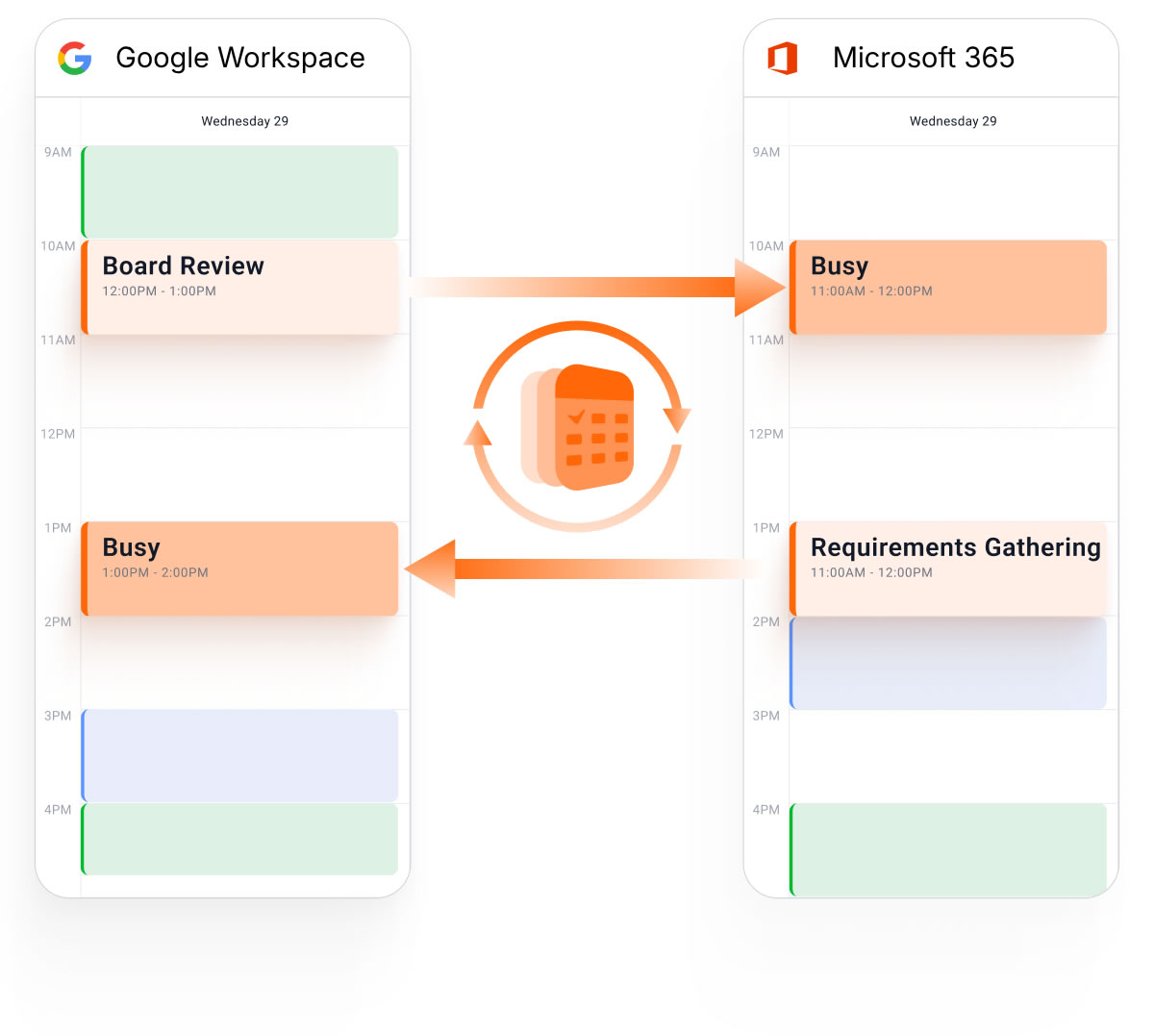
For example, a meeting added to a Google Workspace calendar can automatically create the appropriate event copy on a Microsoft 365 calendar. That commitment is then reflected when the person’s availability is viewed from either environment.
This helps prevent scheduling gaps when teams work across separate calendar systems.
Control What Information Crosses Between Calendars
Keeping calendars synchronized does not mean every event detail needs to be shared.
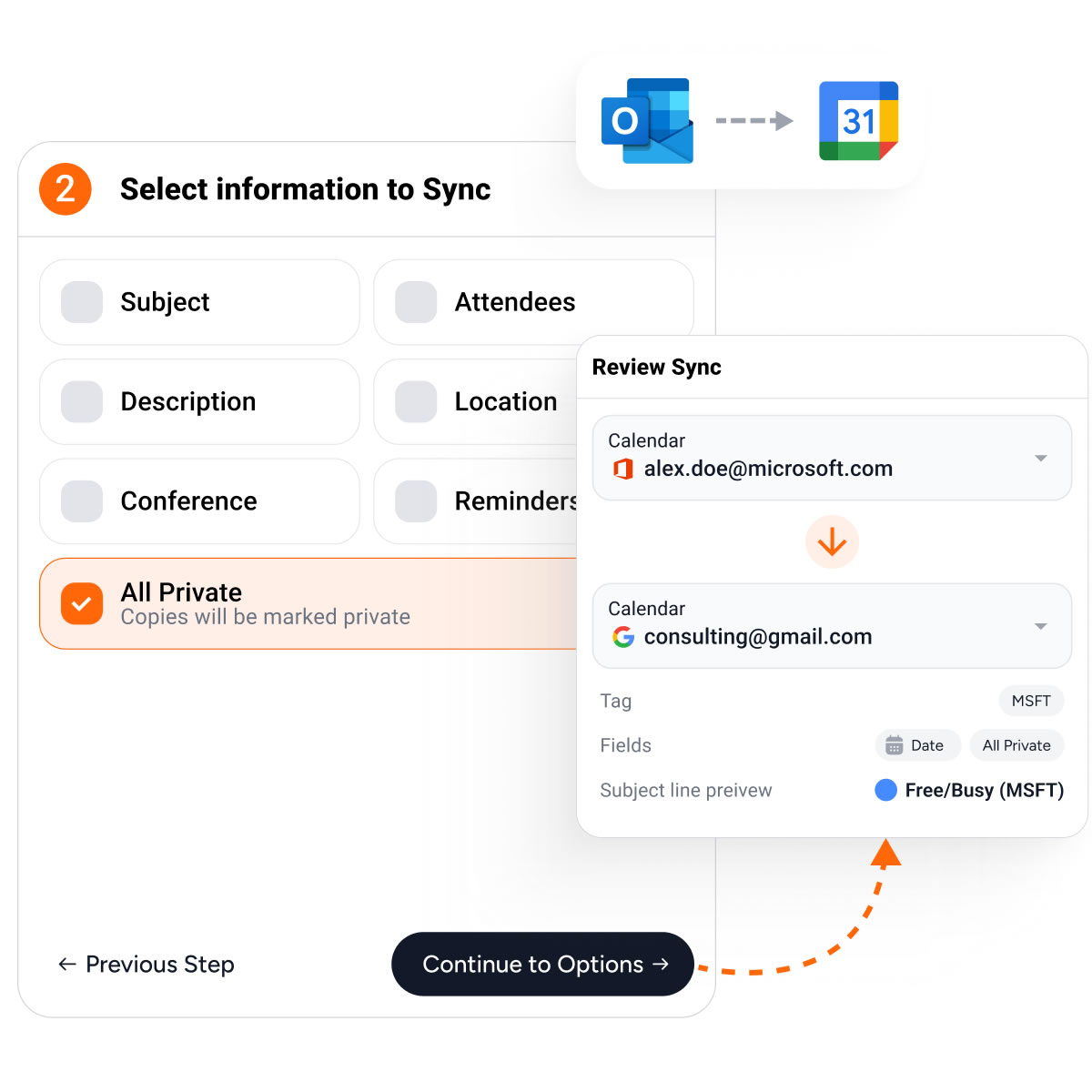
CalendarBridge privacy settings can be configured separately for each sync connection. Organizations can sync only the time of an event, causing the destination calendar to display a generic Busy block, or choose to sync additional information such as the event title, description, location, or conference details.
This can be especially important when calendars cross organizational boundaries. A company using Microsoft 365 may need to know when someone at a Google Workspace organization is unavailable without needing access to the meeting details.
Calendar Sync Can Also Be Managed Centrally
For organizations replacing Microsoft’s admin-managed calendar sync, individual users do not necessarily need to set up CalendarBridge themselves.
CalendarBridge offers Managed Sync licenses that allow administrators to configure and manage calendar connections centrally.
Admins can authorize Microsoft and Google domains, create sync connections for users and resources, and use bulk setup options for larger deployments.
Organizations can also combine centrally managed syncs with user-managed CalendarBridge accounts depending on how different teams need to work.
Learn more about our sync licensing options for organizations.

Frequently Asked Questions
Microsoft says calendar synchronization between Google Workspace and Microsoft Teams will no longer be supported beginning in October 2026. Calendars that were previously configured through the integration will stop syncing at that time.
No. The Teams Meeting add-on lets users create and manage Teams meetings from Google Calendar, but it does not automatically synchronize those events with a Microsoft 365 calendar. Organizations that need availability or events reflected across both calendar systems will need a separate calendar synchronization solution.
No. Google Calendar users will still be able to schedule and join Microsoft Teams meetings using the Microsoft Teams Meeting add-on for Google Workspace. The feature being retired is the calendar synchronization that keeps calendar information aligned between Google Workspace and Microsoft Teams.
Microsoft states that calendars previously configured for synchronization will stop syncing when support for the integration ends beginning in October 2026. Organizations relying on that connection should identify affected users and plan for an alternative before the retirement takes effect.
Microsoft recommends notifying affected users and retrieving any account-matching information that administrators may want to reference later from the Admin app in Teams. Organizations should also identify which users rely on cross-platform calendar synchronization and determine how those calendars will remain synchronized after the Microsoft integration is retired.
Yes. CalendarBridge can synchronize Google Workspace and Microsoft 365 calendars so availability and calendar commitments can remain aligned across the two environments. Sync connections can be configured based on where calendar information needs to appear, without requiring either organization to migrate away from its existing calendar platform.
Yes. CalendarBridge Managed Sync licenses allow administrators to configure and manage calendar connections centrally. Admins can authorize Microsoft and Google domains, create sync connections for users and resources, and use bulk setup options for larger deployments.
What Organizations Should Do Before October 2026
If your organization has used Microsoft’s Google Workspace calendar sync, now is the time to determine whether anyone still depends on it.
Identify the calendars currently being synchronized, retain any account-matching information you may need from the Teams Admin app, and determine what those users require after the integration is retired.
If they only need to create Teams meetings from Google Calendar, Microsoft’s Teams Meeting add-on will continue to provide that capability.
If they need Google Workspace and Microsoft 365 calendars to remain synchronized, CalendarBridge can maintain that connection after Microsoft’s integration is retired.
Need to replace Microsoft and Google calendar sync before October? Start your CalendarBridge free trial.