Overview
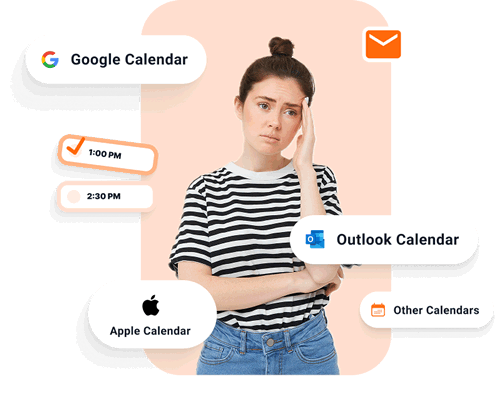
Juggling multiple calendars across Google, Outlook, iCloud, and work systems is frustrating and time consuming. A unified calendar solves this by bringing everything into a single, always up to date view.
CalendarBridge delivers one of the most advanced unified calendar platforms available, built for both individuals and organizations, with full access and editing capabilities on desktop and mobile browsers, as well as through our app that shares your calendars.
How the Unified Calendar Works
The CalendarBridge Unified Calendar is not a separate calendar and does not store your events. Instead, it is a live view of your calendars as they exist on their host systems.
Events are pulled directly from Google, Outlook, Microsoft 365, iCloud, or ICS feeds and displayed in real time when you open the unified calendar on desktop, in mobile browsers, or in the unified calendar app. Duplicate event copies are automatically hidden when calendars overlap, so the view stays clean and readable.
What “Live View” Means
A live view means CalendarBridge only shows your calendars in the moment, without ever saving a copy. When you open the Unified Calendar, it pulls fresh data directly from Google, Outlook, iCloud, or ICS. When you close it, everything disappears. This keeps your information private and ensures you are always looking at the most accurate version of your schedule.
Features of the CalendarBridge Unified Calendar
Multi Account Calendar Management and Sharing
View and manage Google, Outlook, iCloud, Microsoft 365, and external ICS calendars in one place. Add new accounts or paste ICS links without leaving the unified view. Create public calendar feeds to share availability or schedules while keeping event details private.

Duplicate Free Unified View
Prevents duplicate event copies when the same event exists across multiple calendars. This keeps the unified view clean and readable, even when events are hidden or marked as Busy for privacy.

Events originate on one calendar and are copied to others through syncing. When calendars overlap, duplicate copies appear. Hide copies removes the extras.

Unified Event Creation and Editing
Create, edit, and manage events directly from the Unified Calendar. Changes are saved back to the source calendar and reflected across all connected calendars automatically.

Flexible and Focused Views
Control what you see with calendar toggles, color coding, flexible layouts, and dark mode to reduce visual clutter and match your working style.
AI Assistant
Manage your schedule using natural language. Ask the AI Assistant to add, move, reschedule, or cancel events, check availability, and apply changes directly to your connected calendars from the Unified Calendar.

Centralized Settings, Sync, and Billing
Manage connected accounts, sync directions, scheduling rules, visibility, notifications, and billing from a single control panel within the Unified Calendar.

Desktop, Browser, and App Access
Use the Unified Calendar on desktop, in any mobile browser, or through the Unified Calendar app for a focused, on the go experience.

Why the Unified Calendar Matters
The CalendarBridge Unified Calendar gives you a single place to view and manage all of your calendars without the clutter that comes from overlapping events. Duplicate event copies are removed, availability stays accurate in real time, and privacy is preserved without changing how your calendars function.
You can create and edit events directly from the Unified Calendar, with changes saved back to the source calendar and reflected everywhere automatically. Whether you are on desktop, in a mobile browser, or using the Unified Calendar app, you are always working from the most current version of your schedule.
Try it Free, and Simplify your Schedule Today

Frequently Asked Questions
A Unified Calendar is a single, consolidated view that combines events from multiple calendars, like your Google, Outlook, and iCloud calendars, into one always up-to-date interface.
It lets you see your complete schedule at a glance, manage events across accounts, and avoid double bookings.
For organizations, it serves as a shared hub that keeps everyone informed with one reliable source of truth for all events and activities.
No. The Unified Calendar never saves your event data. It shows your schedule in real time by pulling directly from your connected calendars when opened.
Yes. You can create or modify events directly in the Unified Calendar, and changes sync instantly back to the correct calendar account.
Absolutely. Your data remains private since CalendarBridge does not store, copy, or analyze your events. Everything stays within your browser session.
Yes. You can access your Unified Calendar from any mobile browser, and a dedicated mobile app is coming soon.
Conclusion
A Unified Calendar is not just about convenience. It is about accuracy and peace of mind. CalendarBridge Unified Calendar brings together every calendar you use, keeps them refreshed in real time, and works seamlessly across desktop and mobile.
If you want to be the first to know when the CalendarBridge mobile app launches, or when the AI assistant becomes available subscribe to our newsletter for release updates below.