Product Update: What’s New Inside the CalendarBridge User Portal
Published: June 23, 2026
Updated: June 25, 2026
Table of Contents
What's New in CalendarBridge?
We’ve rolled out a number of updates across CalendarBridge, including a redesigned customer portal, additional language support, new sign-in options, expanded payment methods, and self-service sign on (SSO) for organizations.
As CalendarBridge has grown, so has the variety of ways people use it. These updates reflect many of the requests, workflows, and deployment needs we’ve seen from customers, helping make the platform more accessible and easier to manage for individuals, teams, and organizations.
Here’s a quick look at what’s new.
A New Customer Portal
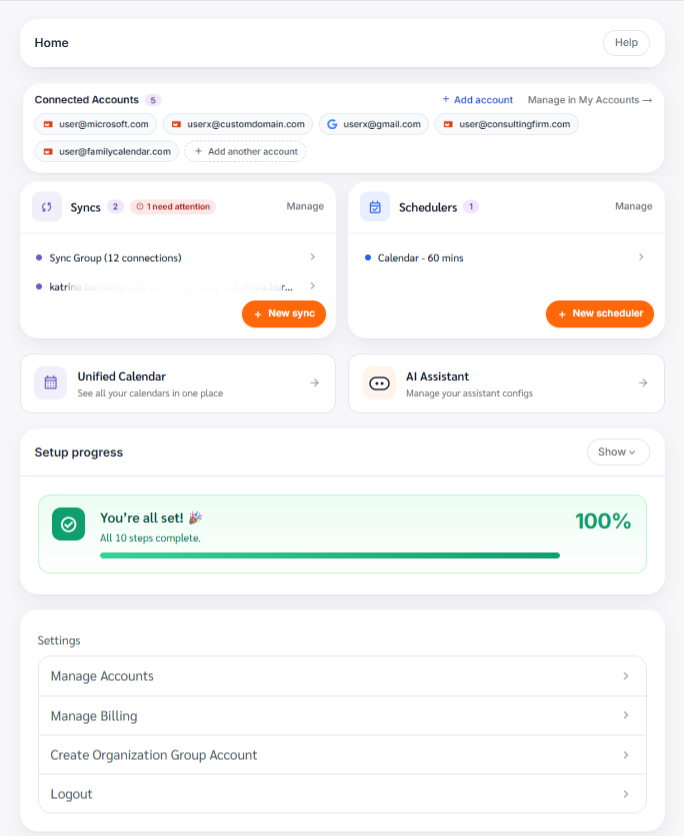
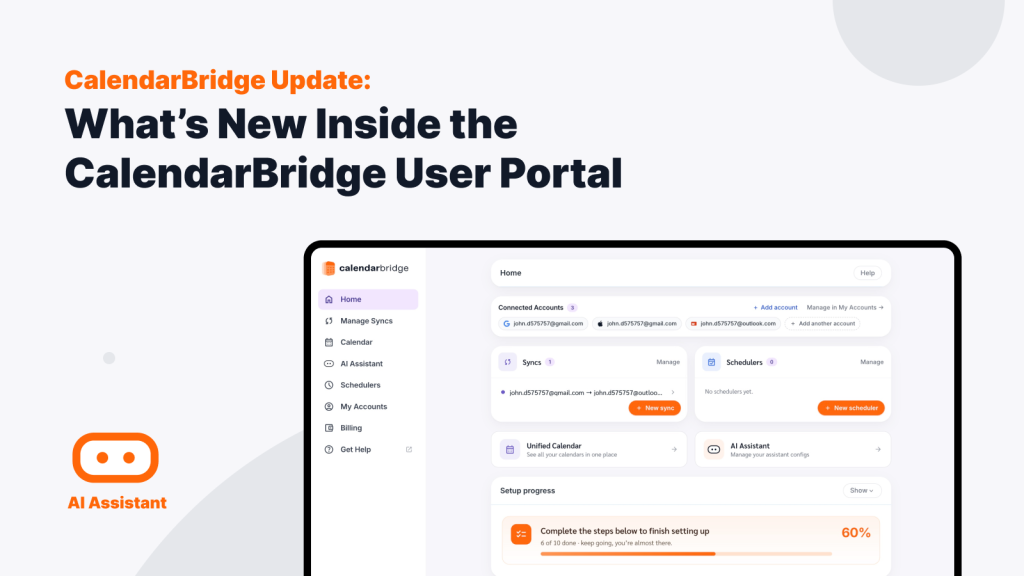
We’ve launched a redesigned customer portal with improved navigation, a more modern interface, and a more intuitive way to manage your CalendarBridge account and settings.
The new dashboard home provides a centralized view of your CalendarBridge environment, including connected accounts, syncs, schedulers, AI assistants, account settings, and setup progress.
The new built-in setup tracker makes it easy to see what you’ve already configured, what still needs attention, and which CalendarBridge features you may not be taking advantage of yet.
New CalendarBridge Portal Dashboard
Easy to Manage Calendar Syncs
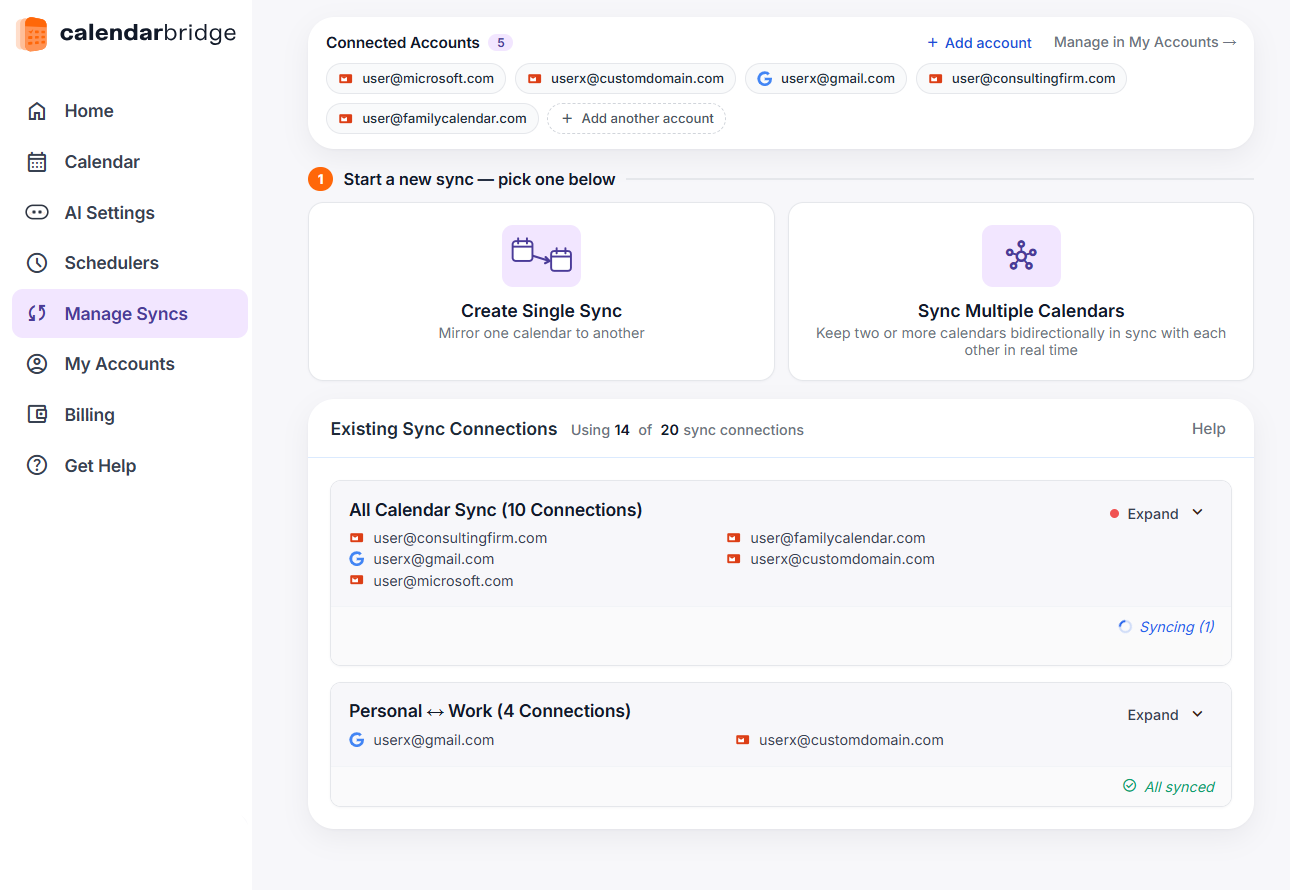
We’ve made sync management easier by bringing connected accounts, sync settings, and account status into a more centralized view. Creating new syncs, reviewing existing sync groups, and updating sync settings is now simpler and more intuitive.
New Portal Syncs Dashboard
Improved AI Assistant Management
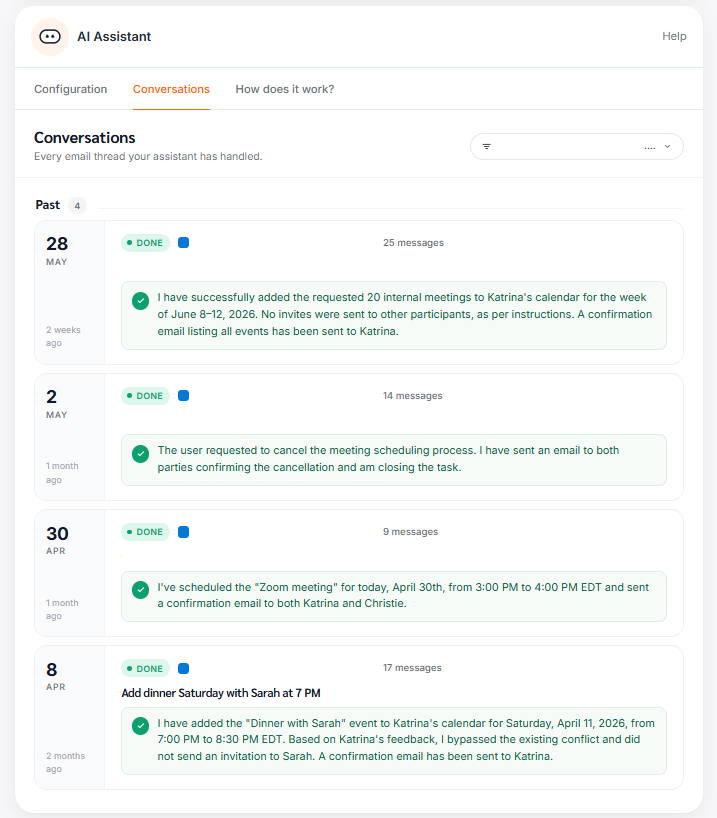
AI Assistant management has been updated to make it easier to configure and manage assistants across your connected accounts. A dedicated Conversations View gives you visibility into every email thread your assistants have handled, making it easy to review activity and track completed tasks.
New Portal AI Assistant Configuration
A Simpler Scheduler Experience
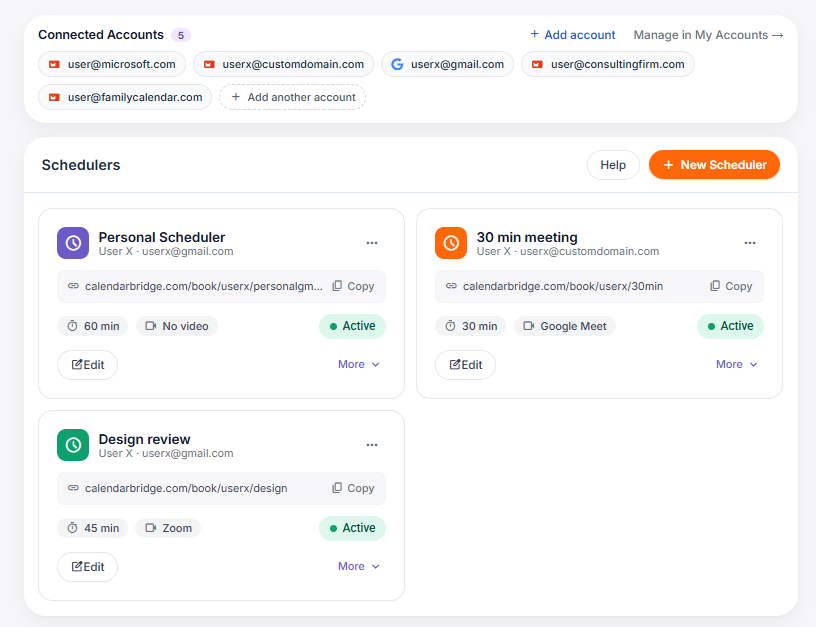
The scheduler experience has been refreshed to make creating scheduling links, reviewing existing schedulers, and updating settings more straightforward.
New Scheduler Options
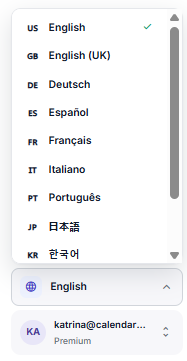
Built-in Language Selector
You can now change your language directly from the portal, making it easy to switch between supported languages whenever needed.
New Language Switcher
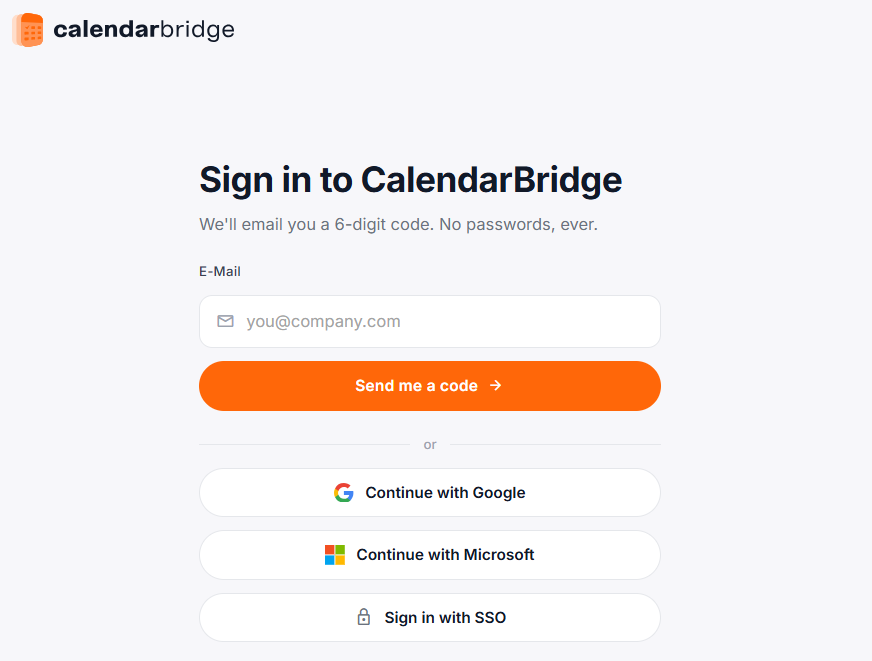
New Sign-In Options
In addition to email-based sign in, you can now sign in to CalendarBridge using your existing Google or Microsoft account.
Organizations can also configure Single Sign-On (SSO) directly from the portal, making it easier to deploy CalendarBridge across teams while maintaining centralized authentication and access control.
New SSO Login Options
Expanded Payment Options
We’ve added several new payment methods to better support customers around the world.
New payment options include:
Apple Pay
Google Pay
Amazon Pay
SEPA
Additional regional payment methods
These additions provide greater flexibility when purchasing and managing a CalendarBridge subscription.
Additional Language Support
CalendarBridge is now available in ten additional languages:
Dutch
Spanish
French
Portuguese
Chinese
Italian
Japanese
Arabic
Polish
Turkish
As our customer base continues to grow internationally, expanding language support has been an important focus. Whether your team is based in North America, Europe, Asia, or across multiple regions, CalendarBridge can now support more users in their preferred language.
Combined with the new language selector built directly into the customer portal, customers can now access and manage CalendarBridge in the language that works best for them.
Tame Your Calendars with the Best Calendar Sync Tool Available!
While these updates don’t change how CalendarBridge syncs calendars, they do improve how customers access, purchase, deploy, configure, and manage the platform.
From the redesigned portal experience to expanded language support, additional sign-in options, self-service SSO, and new payment methods, we’re continuing to invest in improvements that make CalendarBridge easier to use for individuals, teams, and organizations around the world.
We’re excited to keep building and look forward to sharing more updates soon.
Katrina Burnett
Katrina helps people learn about scheduling systems, operational workflows, and the tools teams use to organize and coordinate work. Her articles include practical guides, troubleshooting advice, and strategies for simplifying complex processes.