Introduction
With the Clockwise shutdown approaching, many users are being directed to Reclaim. But not everyone wants AI that automatically reshuffles their schedule without clear input.
CalendarBridge takes a different approach. Instead of guessing your priorities, it gives you precise control over your availability, while providing an AI Calendar Assistant that does exactly what you ask.
If you relied on Clockwise for focus time, scheduling links, or cross-calendar visibility, this guide shows how to replace those workflows without adding complexity, by making the switch to CalendarBridge.
Why CalendarBridge is a Great Alternative
CalendarBridge is a strong alternative to Clockwise and Reclaim for users who want real-time calendar syncing, scheduling links, a Unified calendar, and AI assistance without automatic schedule reshuffling.
- Cross platform compatibility – CalendarBridge works where you work, across all leading calendar apps!
Simple AI Assistance – Get the benefits of AI scheduling without changing how you already use your calendar.
Real-Time Sync – Keep all your calendars updated instantly so your availability is always accurate.
Scheduling Pages & Links – Share your availability with simple booking links that work across your connected calendars.
Unified Calendar – See and manage all your events in one place so you always know your true availability.
AI Scheduling Assistant – Let AI help manage meeting times, coordination, and calendar updates automatically.
Quick and Easy Setup – Connect your calendars in minutes with no complicated setup or learning curve.
Saves Time and Saves Money – Reduce manual scheduling work and avoid costly mistakes like double bookings.
Did The Clockwise Shutdown Leave You Hanging? Try CalendarBridge Instead
No credit card required
Universal Compatibility (Outlook, Google, iCloud)
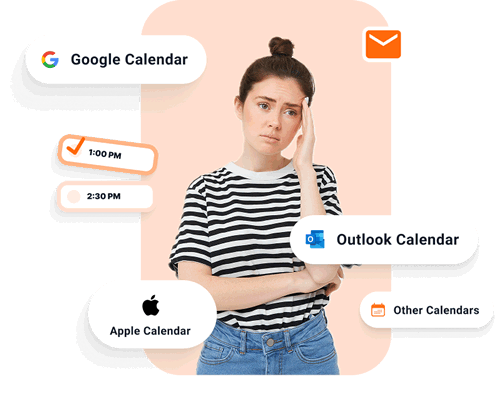
Clockwise users often ran into limitations across Google, Outlook, and iCloud. Reclaim uses a workaround to include your iPhone or Apple calendar and doesn’t handle it natively.
CalendarBridge removes those boundaries by keeping all calendars continuously in sync, so availability is always accurate no matter which app you open.
CalendarBridge connects all of your calendars directly with real-time, bidirectional syncing for:
- Google Calendar (Workspace & Gmail)
- Microsoft Outlook (Exchange, M365, & Outlook.com)
- iCloud / Apple Calendar
Hassle-Free AI Assistance
The CalendarBridge AI Calendar Assistant works through email and chat and follows clear instructions instead of making assumptions.
Instead of managing complex systems like “habits” or “task priorities,” you can simply write:
“Find 2 hours for me to focus before the deadline on Friday.” The assistant checks your real-time availability across all connected calendars, proposes times, schedules the meeting, and notifies everyone involved.
It can also recognize context from your calendar or from the email thread, identify deadlines, and understand who needs to be included when scheduling or rescheduling.
It works like your executive assistant, not an algorithm making silent changes to your day.
Real-Time Sync: One Source of Truth for All Your Calendars
One of the most vital use cases for Clockwise was the sync of personal and work calendars. CalendarBridge takes this further by ensuring your calendars stay continuously aligned with real-time calendar sync.
Automatic Availability Sync: When you add an event to one calendar, it instantly blocks time across your other calendars. No manual updates, no double booking.
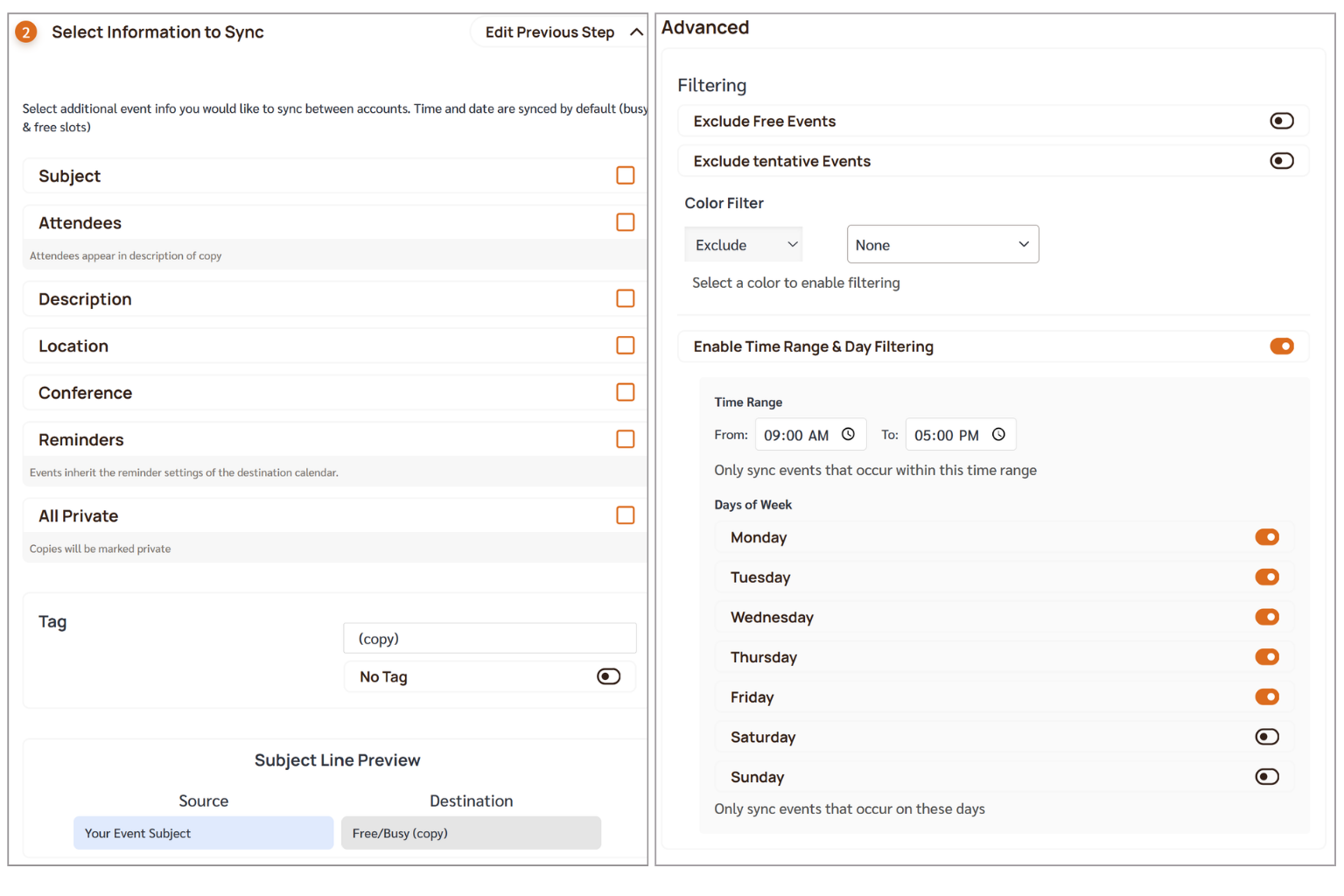
Privacy Controls: You control exactly what details are shared across calendars. You can choose to show only “busy” status or include specific details like title, location, or attendees. These settings can be customized by calendar, event type, or time window.
Accuracy: Events stay consistent across Google, Outlook, and iCloud in real time, so every calendar you open reflects the same availability without duplicates or delays.
Scheduling Links That Reflect Your Availability
Clockwise Scheduling Links will stop working when the product shuts down. CalendarBridge Schedulers provide a direct replacement.
Multi-Calendar Awareness: Our links check all your connected calendars (Work, Personal, Side-gig) across Google and Microsoft 365 before showing a slot as available.
No Double Bookings: Because your sync is real-time, there is zero risk of a client booking over a personal appointment.
Buffer Times: Automatically add “prep” or “travel” time so you aren’t stuck in back-to-back marathons.

One Unified Calendar to See and Manage Everything
Clockwise helped organize your time, but you still had to switch between calendar apps to see and manage your schedule. CalendarBridge brings everything into one Unified Calendar without replacing your existing calendars.
One Simple View: See your full schedule across all accounts in a single, clean interface.
Edit Anywhere: Create or edit events once and have changes reflected across your source calendars instantly.
Hide Duplicates: Remove duplicate event copies from view while keeping your sync intact.
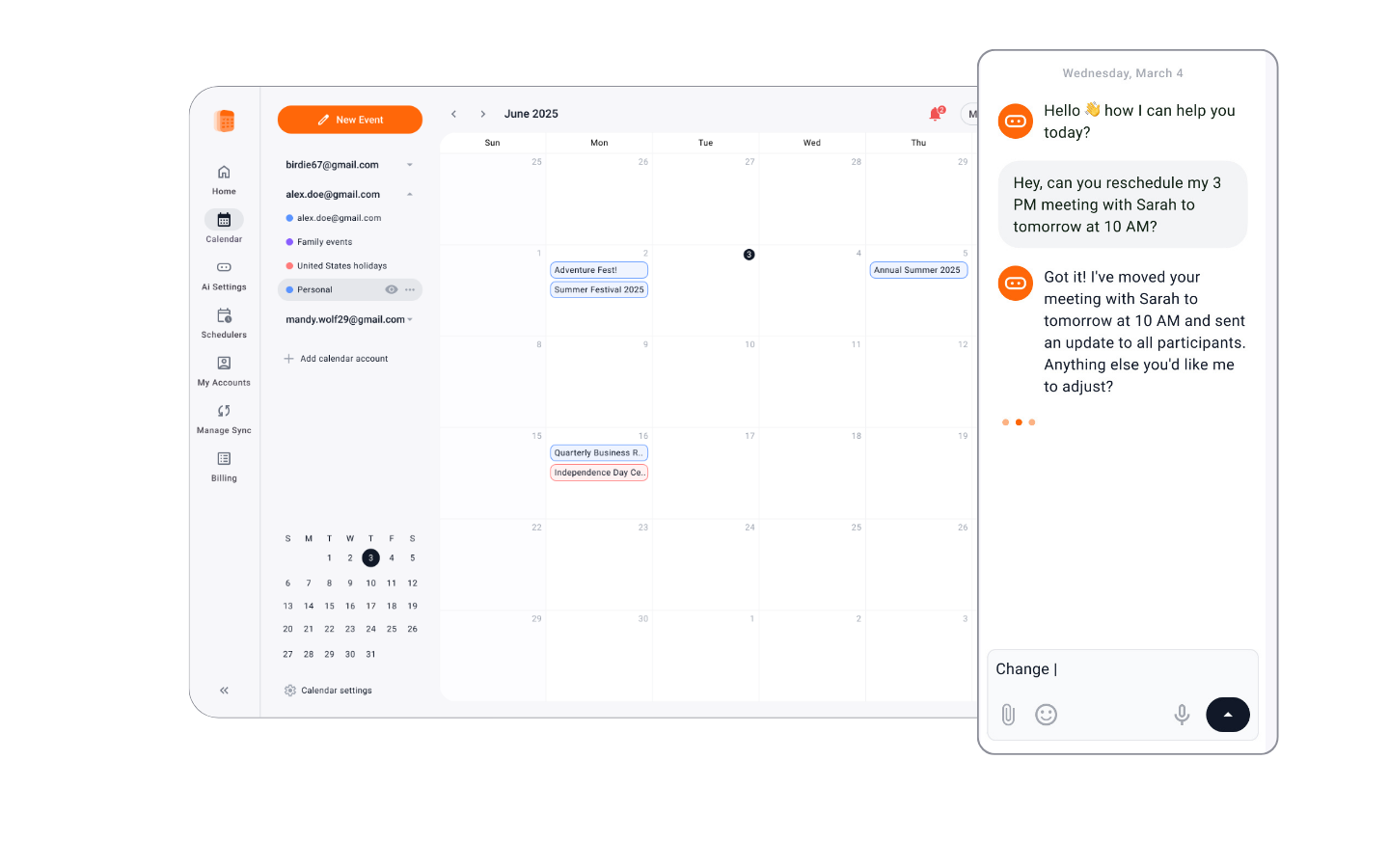
Built-in Assistant: Chat with the AI assistant directly from your calendar to schedule, reschedule, or block time.
Mobile Access: Manage your unified schedule and chat with your assistant on the go, whether you’re on the web or with our shared calendar app for Android and Apple.
An AI Calendar Assistant That Doesn't Over-Automate
If you miss the “AI” aspect of Clockwise, our AI assistant handles the heavy lifting without the “creepy” factor of moving your meetings without asking.
Focus Time on Command: Just tell the assistant to “Block 2 hours for deep work tomorrow morning,” and it’s done.
Team Coordination: The assistant can coordinate across team members and resources to find the perfect meeting time.
Email Coordination: Copy the assistant into an email thread to propose times and finalize a booking for you.
Travel & Prep: Automatically add travel buffers so you’re never late for an off-site.
AI assistant rescheduling my day
Quick Setup: From Clockwise to CalendarBridge in 5 Minutes
CalendarBridge takes just a few minutes to get started, and you can easily adjust your setup at any time.
- Connect Your Accounts: Securely link your Google, Outlook, and iCloud accounts.
- Create a Sync Connection: Bridge your personal and work lives so you’re never double-booked.
- Launch a Scheduler: Replace your old Clockwise links with a branded CalendarBridge URL.
- Configure your AI Assistant: Select which email accounts it responds to and add preferences if needed.
- Done: Your calendar is now optimized and accurate.
Saving Time Saves Money
Many AI scheduling tools come at a higher cost and require ongoing setup to get value. CalendarBridge plans start at $8 per month with the AI Calendar Assistant included, and are designed to work immediately without ongoing configuration.
Even saving just 10 to 15 minutes a day by avoiding back and forth emails, fixing scheduling conflicts, or adjusting your calendar manually can add up to hours each month, and with real-time syncing, scheduling links, and an assistant that can coordinate meetings for you, that time is handled automatically instead of manually.
Clockwise vs. CalendarBridge Feature Comparison
Clockwise Feature
Use This CalendarBridge Feature
Personal Calendar Sync
Calendar Sync (Real-time & Reliable)
Scheduling Links
Scheduling Pages (Multi-calendar aware)
Unified View
Unified Calendar (Manage all calendars in one place!)
Focus Time / Smart Holds
AI Assistant (Focus time on command)
Travel Time / Meeting Breaks
Buffer Time & AI Travel Buffers
Lunch / Recurring Routines
AI Assistant (Recurring event creation)
No Meeting Days
AI Rules + Scheduler Availability
Flexible Meetings
Can't be done on CB (We believe you should keep control!)
Did The Clockwise Shutdown Leave You Hanging? Try CalendarBridge Instead
No credit card required
Frequently Asked Questions
CalendarBridge is a strong alternative to Clockwise for users who want real-time calendar syncing, scheduling links, and AI assistance without automatic schedule changes.
Clockwise announced it is shutting down as part of a strategic shift, with users being directed toward and alternative. While full details have not been publicly outlined, they announced a move to SalesForce, and the last day of operations being March 27, 2026.
No, you can use alternatives like CalendarBridge that focus on syncing and scheduling without changing how your calendar works.
Yes, you can create focus time using the AI assistant or by blocking time across synced calendars.
Yes, CalendarBridge syncs Google Calendar, Outlook, and iCloud in real time so your availability stays accurate across all platforms.
Reclaim focuses on automatic scheduling and task management, while CalendarBridge focuses on real-time calendar syncing, scheduling links, and controlled AI assistance.
Yes, real-time sync ensures that busy time is reflected across all calendars instantly.
Conclusion: CalendarBridge is The Best Alterative
The Clockwise shutdown is a hassle, but it’s also an opportunity to simplify your workflow. If you want a reliable, easy-to-use, and affordable alternative to Clockwise, stop looking at over-engineered planners and start using the bridge.