Introduction
Managing short-term rental calendars across multiple platforms is messy. If you list your property on Airbnb, VRBO, or Booking.com, you’ve probably tried syncing calendars with iCal feeds and seen how unreliable they can be. Updates lag. Some calendars only refresh every 3–24 hours. And you still end up bouncing between multiple dashboards to see what’s going on.
CalendarBridge solves this by giving you one reliable, unified calendar view of all your bookings. Learn more about how a unified calendar can help you.
This guide explains the common ICS calendar sync problems hosts face and how CalendarBridge fixes them with a smarter, centralized solution.
What is an Internet Calendar and Why is it a Problem for Hosts?
Most booking platforms rely on Internet Calendar or “iCal” or ICS feeds to allow you share your listing’s availability outside of their platform.
What iCal Really Means
Prior to 2012, Apple confused everyone by referring to their calendar app as "iCal" despite the fact that the iCalendar standard already existed. Although Apple renamed their app to simply "Calendar" in 2012, the confusion still persists with some people still using "iCal" to refer to the Apple "Calendar" app.
For this reason, we stick to calling them "Internet Calendars" or "ICS feeds" because Internet Calendars are typically accessed via a URL that ends in ".ics."
An ICS feed is just a file that lets booking sites talk to each other. For example, when you get a booking on Airbnb, Airbnb updates this link with the new reservation. VRBO then checks that link and blocks those dates on your VRBO calendar.
The catch is that these services only check these links very infrequently. For example, Airbnb only checks these calendars every 3 hours!
That delay is the window when a double booking can slip through—one guest books on a first service (e.g., Booking.com), but a second service (e.g., Airbnb) hasn’t updated yet, so the same dates still look available there (and vice versa).
Why Hosts Get Frustrated
Relying only on iCal feeds means:
- You’re at risk of double bookings during sync delays
- You have to manually check and update multiple dashboards
- You can miss cleaning or maintenance blocks
- Guests may see availability that isn’t really available
Common Calendar Sync Problems and How CalendarBridge Solves Them
iCal Syncs Are Delayed
Platforms that use ICS feeds to sync calendars do not update instantly (and sometimes it takes hours). That delay increases the risk of double bookings if a reservation comes in before your other listings refresh.
CalendarBridge Solution
CalendarBridge syncs availability in real time. As soon as a booking is made, all connected calendars are updated within minutes, resulting in an accurate availability booking calendar for your short term rentals.
How?
CalendarBridge pulls in all your ICS feeds from all your booking platforms much more frequently and reliably than than the booking platforms’ own refresh cycles. CalendarBridge then syncs all those feeds into your Google or Outlook calendar, which serves as a “single source of truth” for your property. We’ll cover how to set this up later on.
No Centralized Calendar View
You’re juggling multiple dashboards: Airbnb, VRBO, Booking.com, your phone, and maybe a direct booking tool. It’s chaotic and error-prone.
CalendarBridge Solution
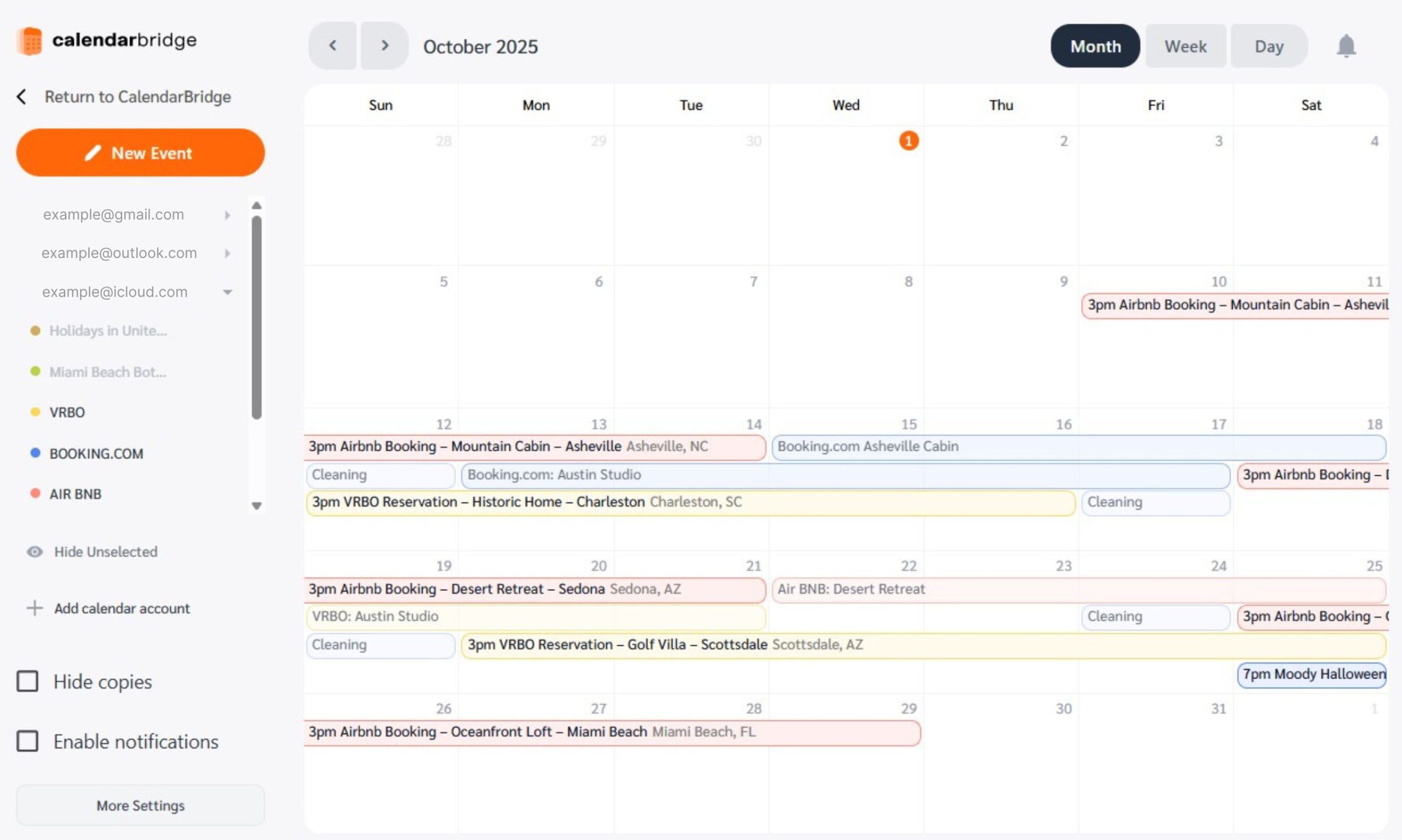
View all your bookings in a single, Unified Calendar. One clean dashboard with your full, accurate availability picture across every platform.
How?
CalendarBridge pulls bookings from every connected platform into your synced Google or Outlook calendar. Instead of checking separate dashboards, you see one unified calendar showing your full availability across Airbnb, VRBO, Booking.com, and any other connected source.

Yes, There’s an App for That
With the CalendarBridge mobile app your Unified Calendar goes wherever you do. Instantly see and review all your bookings across Airbnb, VRBO, Booking.com and every other calendar type you connect in one place. No more switching between dashboards or missing updates.
- Toggle calendars on and off to control what you see
- Edit events from anywhere and keep everything updated
- View schedules by day, week, or month
How to Set Up CalendarBridge to See All Your Bookings in One Place
Step 1: Open your CalendarBridge Unified Calendar

Step 2: Add your ICS feeds to the Unified Calendar

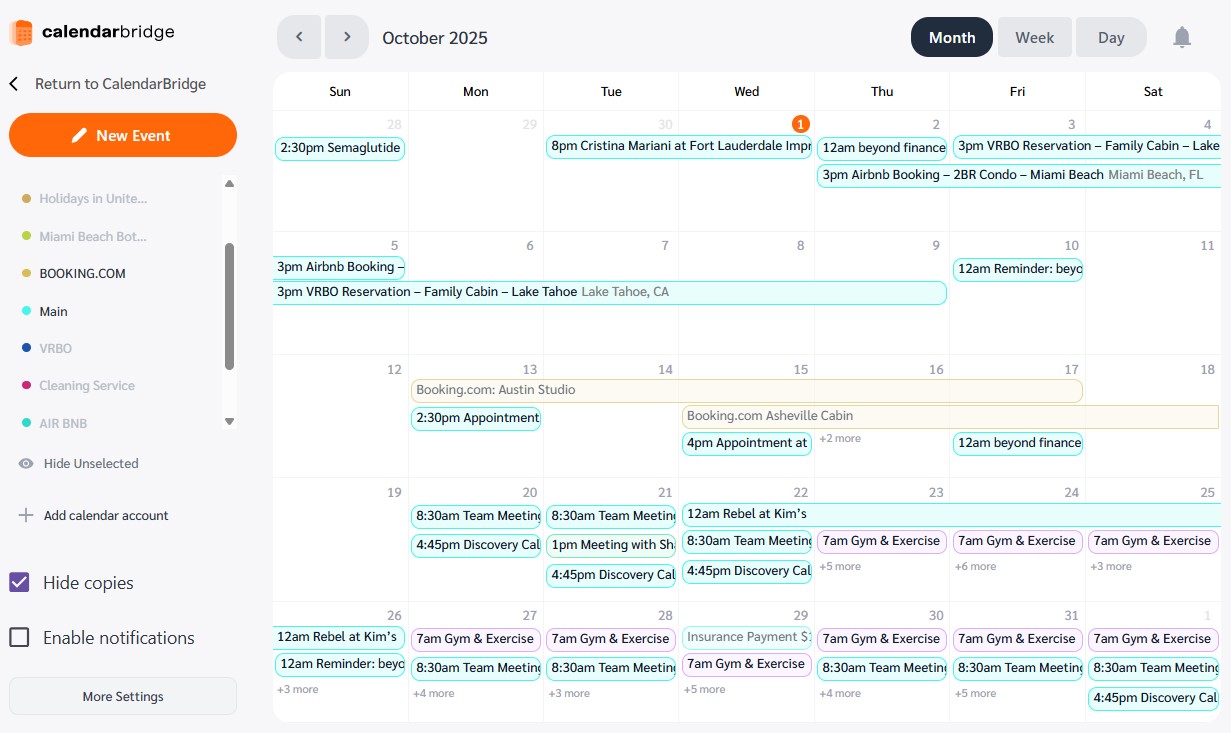
Step 3: See all Your Reservations in One Place
Start your Free Trial and Prevent Double Bookings Today!

Frequently Asked Questions
The CalendarBridge Unified Calendar refreshes ICS feeds much more frequently and reliably than other apps such as Google Calendar, Outlook, and Apple Calendar
No, iCloud does not provide the same real-time sync capabilities as Google or Outlook. For reliability, CalendarBridge works best with Google Calendar or Outlook Calendar.
Yes. You can view Airbnb, VRBO, Booking.com, and any other connected calendars together in a unified booking calendar, accessible on desktop or mobile.
Not at all. You connect your Google or Outlook calendar, import your iCal feeds once, and then let CalendarBridge handle real-time syncing across every platform.
Conclusion
Keeping short-term rental calendars in sync across Airbnb, VRBO, and Booking.com should not feel like a full-time job. iCal feeds were never built for the speed and complexity of modern hosting. By using CalendarBridge, you create one reliable hub for all of your bookings with real-time updates, two-way sync, and a unified calendar view.
The result is fewer mistakes, less stress, and more confidence knowing your availability is always accurate. If you are serious about growing your short term rental hosting business without the constant fear of double bookings, CalendarBridge is the smarter way forward. Take a free 7-day trial, you won’t be disappointed!