Introduction
For a long time, I assumed the friction of scheduling was just part of working in the business world. Meetings require coordination. Coordination requires email. Email requires follow-up. That’s normal. But what I didn’t realize was how much mental space it was quietly occupying.
It wasn’t just the time spent proposing dates or checking conference room availability. It was the cognitive overhead.
- Keeping track of who hadn’t replied.
- Following up with a client.
- Making sure the correct version of the project document was attached.
- Double-checking that I didn’t book over a leadership call.
None of it was difficult, it was just constantly running in the back of my mind, and constant little things like that can drain you as each day goes on.
If you feel this same calendar management overload, this article is going to help you move some of those time-draining tasks of managing a busy calendar, into the hands of the CalendarBridge AI Scheduling Assistant. And you won’t be sorry!
Why Most Scheduling Tools Don’t Solve the Real Problem
Most scheduling tools are built around the idea that you want to manage a grid more efficiently. They give you a booking link or a scheduling page, some add light automation to help out, but it seems like none can bring it all together into a single, working calendar management system.
Fundamentally, at the end of every day, it’s you that is still required to be the scheduling coordinator in order to make it all work seamlessly. You are still the one translating messy business conversations into structured calendar events.
When a client sends you a long email thread with three proposed times scattered across separate replies:
- You open your calendar.
- You scan availability.
- You check whether the conference room fits ten people.
- You confirm time zones.
- You attach the scope document.
- You send the invite.
- You set the reminder.
It’s better than doing it entirely by hand, but you are still the system.
The Shift With the CalendarBridge AI Scheduling Assistant
Business scheduling doesn’t need to be managed. It can be delegated. That’s the difference the AI Scheduler introduced into my workflow. Look below at just how easy it can be to manage group scheduling with AI.
Setting up a group meeting with the AI scheduler
The Assistant Lives in Your Existing Systems
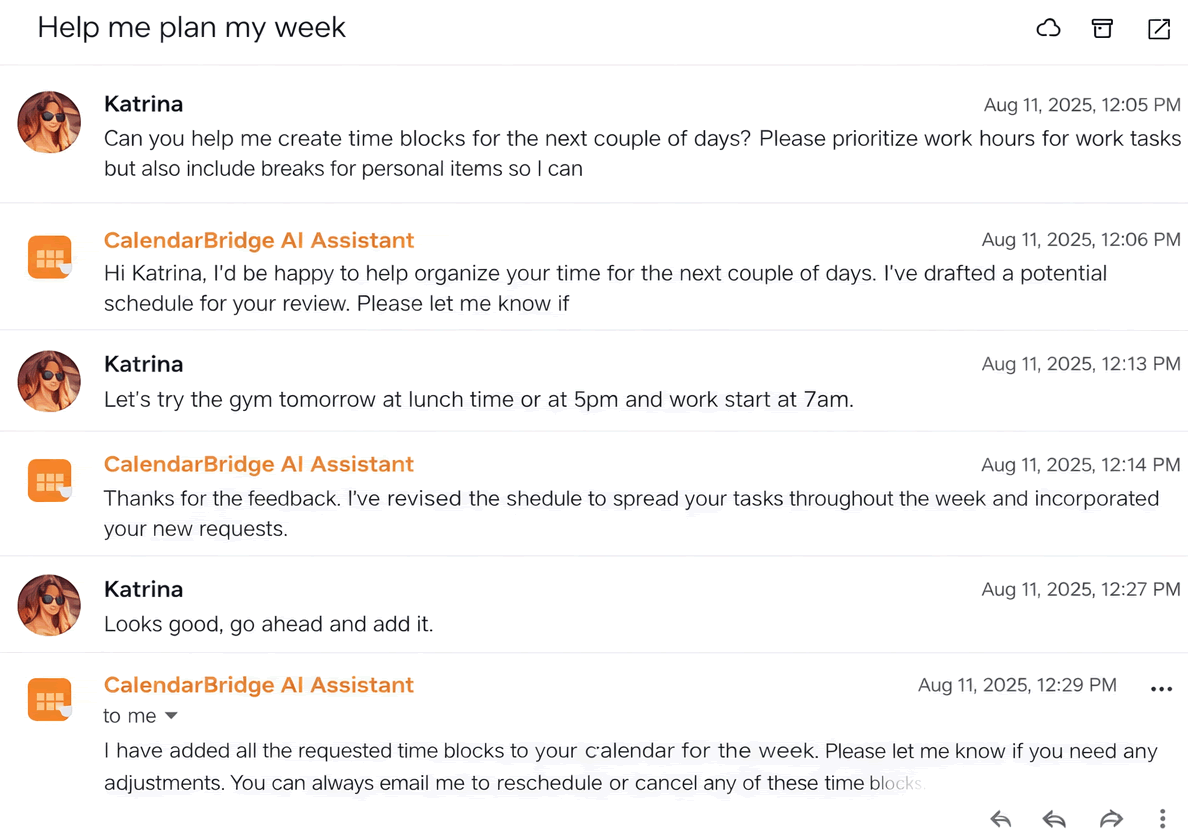
With CalendarBridge, the assistant doesn’t live on a separate booking page or dashboard. It works directly inside your email and connected calendars. You add assistant@ai.calendarbridge.com to a thread, or you message it directly, and it handles coordination there.
- Instead of opening my calendar and hunting for availability, I forward the thread and say, “Find a time for everyone on this thread next week.”
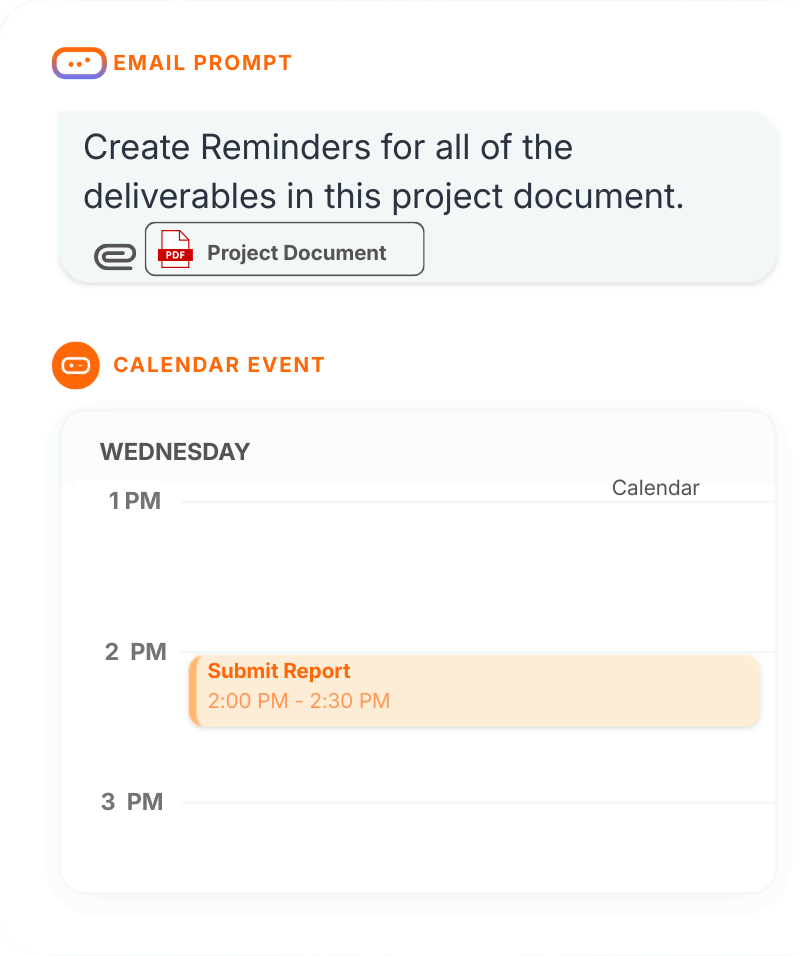
- Instead of manually entering deadlines from a project scope, I forward the document and say, “Add these milestones as calendar events with a two-day reminder.”
- Instead of checking room capacity and adding buffer time myself, I say, “Schedule this in the South Room and add 15 minutes of buffer before and after.”
When you manage your calendar directly, you’re responsible for every step between conversation and confirmation. When the assistant handles it, your job becomes deciding what needs to happen and letting the assistant figure out when.
You stop acting like the admin and start operating like the director.
Rescheduling a meeting with the AI Scheduler
Practical AI Scheduler Uses for Business Teams
The AI Scheduling Assistant becomes powerful in real business scenarios because it understands context inside your entire connected workflow and meeting lifecycles.
When included in an email thread, the scheduling assistant can:
- Propose times
- Schedule or reschedule meetings
- Convert discussions into confirmed calendar events
- Book conference rooms and shared resources
- Add conferencing details
- Follow up with participants
- Confirm attendance
- You can reference “everyone on this thread” or “anyone who hasn’t replied,” and it identifies the participants automatically.
When you message the assistant directly, you can:
- Block focus time
- Move or cancel meetings
- Add travel or preparation buffers
- Create deadline reminders
- Send automated reminder emails at a specific time
You can also reference individuals by name if they exist in your contacts or prior meetings. You can reference contact groups like “Dev Team” or “Leadership,” and it expands them automatically. Conference rooms can be configured once and then booked naturally by name.
Browse our article library with examples of the ways to use an AI assistant.
Working With Real Business Inputs
Business information rarely arrives neatly formatted. The AI Scheduling Assistant can read forwarded email threads, attachments, PDFs, screenshots, and images.
- You can forward a long negotiation and say, “Summarize the key dates and add them to my calendar.”
- You can forward a project timeline and say, “Add these deadlines.”
- You can send a screenshot of an event and say, “Add this to my calendar.”
It extracts dates, participants, and context directly from what you send.
The Real Business Advantage
I didn’t adopt the Scheduling Assistant just to automate meeting booking. I adopted it to get the time back that scheduling quietly takes from your day.
There is a difference between being busy and being administratively entangled. Business scheduling creates entanglement. Delegation removes it.
- Not a better booking link.
- Not a prettier interface.
- Not more features.
Delegation.
I no longer manage when things happen. I decide what needs to happen, and the CalendarBridge AI Scheduling Assistant takes care of the rest.
Integrate the AI Scheduling Assistant Into Your Business Workflows and Get Your Time Back
No credit card required
Frequently Asked Questions
An AI scheduling assistant is a tool that helps automate meeting coordination and calendar management. Instead of manually proposing times, sending invites, and following up with participants, the assistant can review availability, propose meeting times, schedule events, and send reminders automatically.
AI schedulers help businesses by coordinating meetings across multiple calendars, suggesting available times, booking conference rooms, sending reminders, and handling rescheduling requests. This reduces the amount of manual work required to organize meetings across teams and organizations.
Yes. The CalendarBridge AI Assistant, can operate directly inside email threads. When included in a conversation, the assistant can identify participants, propose meeting times, and convert discussions into confirmed calendar events.
Yes. AI scheduling assistants can add reminders, project deadlines, and recurring events to your calendar. They can also send automated reminder emails or notifications before important meetings or milestones.
Most AI scheduling assistants integrate with existing platforms such as Google Calendar and Microsoft Outlook. CalendarBridge connects multiple calendars and allows the AI assistant to manage scheduling across them from one unified workflow.
No. In addition to booking meetings, AI scheduling assistants can help block focus time, reschedule events, add travel buffers, manage project milestones, send reminders, and extract key dates from emails, documents, or attachments.
Conclusion
At first glance, managing your own calendar doesn’t seem like a major burden. Each task is small. Propose a time, check availability, send an invite, follow up with someone who hasn’t replied. But when those small tasks repeat dozens of times every week, they quietly consume time, attention, and focus that should be spent on more important work.
The real advantage of our AI Scheduling Assistant is not simply faster scheduling. It is delegation. Instead of translating conversations, documents, and email threads into calendar events yourself, you let the assistant handle the coordination while you focus on decisions and outcomes.
When scheduling moves from manual coordination to AI-assisted delegation, calendar management stops being a constant background task. Your calendar simply runs in the background, and you get your time and attention back.